Skip to content
View in the app

A better way to browse. Learn more.

Ultimate Subaru Message Board

A full-screen app on your home screen with push notifications, badges and more.

To install this app on iOS and iPadOS
  1. Tap the Share icon in Safari
  2. Scroll the menu and tap Add to Home Screen.
  3. Tap Add in the top-right corner.
To install this app on Android
  1. Tap the 3-dot menu (⋮) in the top-right corner of the browser.
  2. Tap Add to Home screen or Install app.
  3. Confirm by tapping Install.

Leaderboard

Popular Content

Showing content with the highest reputation on 09/06/21 in Posts

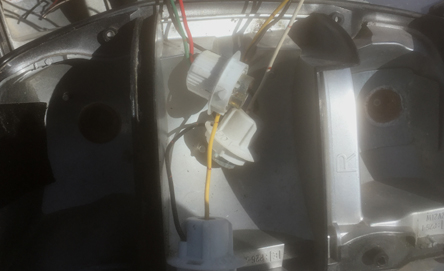
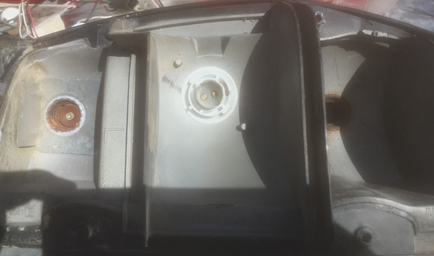
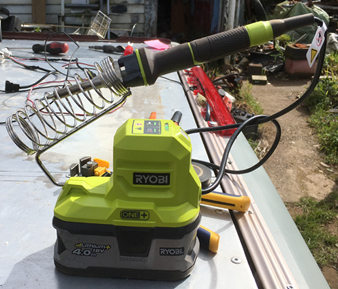
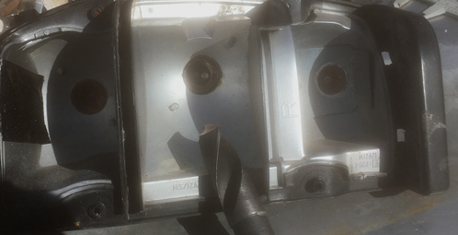
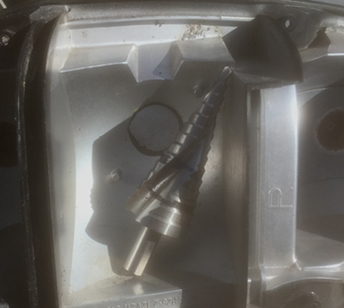
  1. And more update Decided to get the brake lights sorted With the old brumby sitting in the paddock for years the bulb fittings had rusted up. So a new setup was needed. a bit of a look at what stuff i had lying around come up with this. 1 drill out old socket 2 make hole bigger 3 wire up new fittings and add plugs 4 glue in fittings And very surprised how well the Ryobi 18 volt soldering iron went. warmed up in seconds. no waiting around for the plug in iron to warm up. just need to hook earth and power to test
Account

Navigation

Search

Search

Configure browser push notifications

Chrome (Android)
  1. Tap the lock icon next to the address bar.
  2. Tap Permissions → Notifications.
  3. Adjust your preference.
Chrome (Desktop)
  1. Click the padlock icon in the address bar.
  2. Select Site settings.
  3. Find Notifications and adjust your preference.