Yim
Members
-
Joined
-
Last visited
Everything posted by Yim
-
Yep, looked it up, it's the 4.11 FD. I think I'll make a thread over in the classifieds for that diff.
-
That's good to know, but can anyone confirm that the 4.44 is the FD for the 96 model years? If it is, what donor cars would have an LSD with that final drive?
-
Actually, I have the 5-speed manual. I was just saying if there wasn't one that would match the final drive of the stock, then I'd have to swap the entire tranny.
-
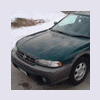
I've got this 96 Legacy Outback that I want to do a couple of things with, but I first need some info and advice. Firstly, I want to install a limited slip differential for the rear wheels, which shouldn't be too hard if I there's one that's made with the same final drive as mine, otherwise I'm looking at a full tranny swap. Secondly, I want to turbocharge the EJ22 in my car, preferably without having to downgrade the ECM to an OBDI. I know for this I will at least need to build up the engine, which is no big deal since I plan on doing a full rebuild sometime next year, and I'll also need a turbocharger, an exhaust system, and a new air intake. I would think the computer would be able to deliver the correct amount of fuel because of the MAF and MAP sensors, but if I'm wrong, let me know.