Skip to content
View in the app

A better way to browse. Learn more.

Ultimate Subaru Message Board

A full-screen app on your home screen with push notifications, badges and more.

To install this app on iOS and iPadOS
  1. Tap the Share icon in Safari
  2. Scroll the menu and tap Add to Home Screen.
  3. Tap Add in the top-right corner.
To install this app on Android
  1. Tap the 3-dot menu (⋮) in the top-right corner of the browser.
  2. Tap Add to Home screen or Install app.
  3. Confirm by tapping Install.

zmayfield

Members
  • Joined

  • Last visited

  1. yup, this is my first Subaru. I like the new g/f idea. :-) haha. Hope she doesn't see this... I found the spot where the cup holder tray slides into, just no tray in there for some reason. So that should be an easy fix. :-)
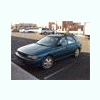
  2. So I just bought my first Subaru. 1996 Impreza L Wagon 2.2 with 154,000 original miles from an old lady who was the original owner. I'm loving it so far! Can't wait to take it up to the mt. to go snowboarding. One thing is driving my crazy though! No cup holders! Any one have a great solution for this? I don't want to go and just buy the cup holders that hang on the windows, or something. Any one have any good solutions? After market parts? IDK. I just want it to look good. Thanks!
Account

Navigation

Search

Search

Configure browser push notifications

Chrome (Android)
  1. Tap the lock icon next to the address bar.
  2. Tap Permissions → Notifications.
  3. Adjust your preference.
Chrome (Desktop)
  1. Click the padlock icon in the address bar.
  2. Select Site settings.
  3. Find Notifications and adjust your preference.