Skip to content
View in the app

A better way to browse. Learn more.

Ultimate Subaru Message Board

A full-screen app on your home screen with push notifications, badges and more.

To install this app on iOS and iPadOS
  1. Tap the Share icon in Safari
  2. Scroll the menu and tap Add to Home Screen.
  3. Tap Add in the top-right corner.
To install this app on Android
  1. Tap the 3-dot menu (⋮) in the top-right corner of the browser.
  2. Tap Add to Home screen or Install app.
  3. Confirm by tapping Install.

w0rstn4m33v3r

Members
  • Joined

  • Last visited

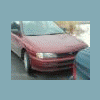
  1. I currently own a 96 Impreza L 5 speed with a 1.8 in it. I really like the square looks that the 90s models have and want to either keep this one and upgrade it or buy a 99 and upgrade that. Ive been looking into the 99 because Ive heard its really common to drop an 04 wrx engine into that with a turbo and so on, but what Im trying to decide on is if it would be just as worthwhile to do the same with the 96. What type and year engines will fit in a 96 impreza L? What other parts and changes will be needed with that? any other tips or advice would be helpful, Im not necessarily trying to build the fastest car ever, but Id like to top about 125mph, just something I can have fun on and off the street that looks good.
Account

Navigation

Search

Search

Configure browser push notifications

Chrome (Android)
  1. Tap the lock icon next to the address bar.
  2. Tap Permissions → Notifications.
  3. Adjust your preference.
Chrome (Desktop)
  1. Click the padlock icon in the address bar.
  2. Select Site settings.
  3. Find Notifications and adjust your preference.