Skip to content
View in the app

A better way to browse. Learn more.

Ultimate Subaru Message Board

A full-screen app on your home screen with push notifications, badges and more.

To install this app on iOS and iPadOS
  1. Tap the Share icon in Safari
  2. Scroll the menu and tap Add to Home Screen.
  3. Tap Add in the top-right corner.
To install this app on Android
  1. Tap the 3-dot menu (⋮) in the top-right corner of the browser.
  2. Tap Add to Home screen or Install app.
  3. Confirm by tapping Install.

kinerf

Members
  • Joined

  • Last visited

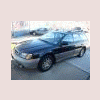
  1. Hi all, Just purchased a 2002 Outback H6 VDC yesterday. Will have her next weekend. Test drive went well. Felt solid and responsive. Brake petal a bit spongy, but otherwise ok. May take some getting used to. Will read up on anything I can regarding this baby. Hope to have her forever. Cheers! Steven B.
Account

Navigation

Search

Search

Configure browser push notifications

Chrome (Android)
  1. Tap the lock icon next to the address bar.
  2. Tap Permissions → Notifications.
  3. Adjust your preference.
Chrome (Desktop)
  1. Click the padlock icon in the address bar.
  2. Select Site settings.
  3. Find Notifications and adjust your preference.