Skip to content
View in the app

A better way to browse. Learn more.

Ultimate Subaru Message Board

A full-screen app on your home screen with push notifications, badges and more.

To install this app on iOS and iPadOS
  1. Tap the Share icon in Safari
  2. Scroll the menu and tap Add to Home Screen.
  3. Tap Add in the top-right corner.
To install this app on Android
  1. Tap the 3-dot menu (⋮) in the top-right corner of the browser.
  2. Tap Add to Home screen or Install app.
  3. Confirm by tapping Install.

SM214

Members
  • Joined

  • Last visited

Everything posted by SM214

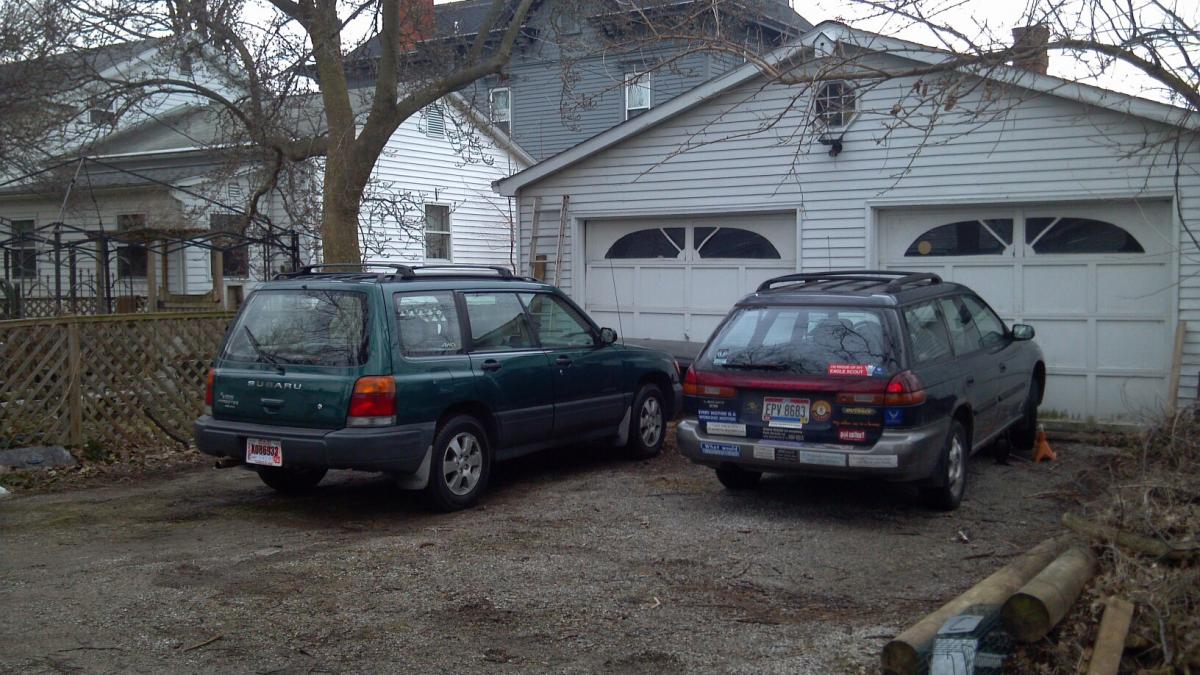
  1. 2 Subaru owner here, Liked the first one so much that we bought a second. So a '99 Forester has joined our '95 Outback in the stable today. The Forester has a few issues that can be easily remedied with the search function and a printer, and she came from a county with emissions testing so that cuts down on the problems a bit. In my pic the Outback is getting a completely new exhaust system, which is why she's up in the air a bit. Both cars have the 5 speed manual which is fine for us but drives our 16yr old nuts. Hopefully I'll be able to contribute to the boards.
Account

Navigation

Search

Search

Configure browser push notifications

Chrome (Android)
  1. Tap the lock icon next to the address bar.
  2. Tap Permissions → Notifications.
  3. Adjust your preference.
Chrome (Desktop)
  1. Click the padlock icon in the address bar.
  2. Select Site settings.
  3. Find Notifications and adjust your preference.
