Skip to content
View in the app

A better way to browse. Learn more.

Ultimate Subaru Message Board

A full-screen app on your home screen with push notifications, badges and more.

To install this app on iOS and iPadOS
  1. Tap the Share icon in Safari
  2. Scroll the menu and tap Add to Home Screen.
  3. Tap Add in the top-right corner.
To install this app on Android
  1. Tap the 3-dot menu (⋮) in the top-right corner of the browser.
  2. Tap Add to Home screen or Install app.
  3. Confirm by tapping Install.

Scorpio78

Members
  • Joined

  • Last visited

Everything posted by Scorpio78

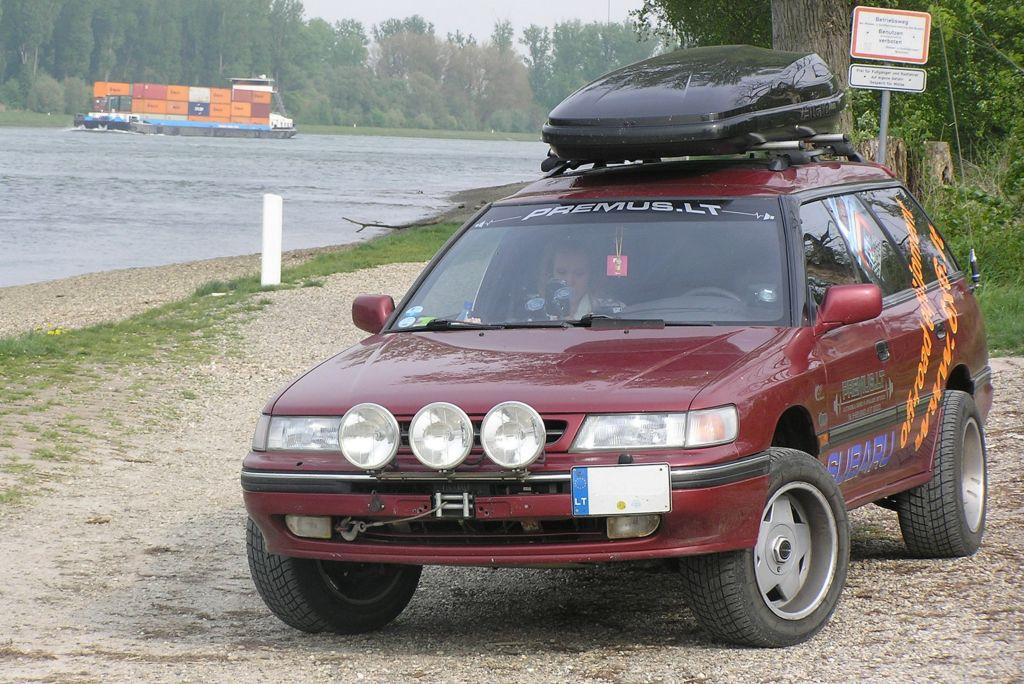
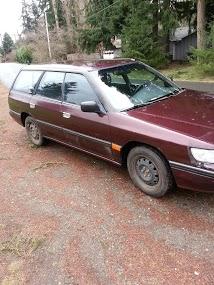
  1. First Baruu, And I picked it up on a hell of a deal... With 2 dogs and using it for work and my summer life style, I think its gunna be a decent rig.. Has some quirks that I need to work out.. 1 is that its to damn low to the ground.. Its more like a touring car, but I'd like to do a strut lift.. All the knowledge I can get will work.. theres one pic I have of it... And this is kinda what Iam shooting for..
Account

Navigation

Search

Search

Configure browser push notifications

Chrome (Android)
  1. Tap the lock icon next to the address bar.
  2. Tap Permissions → Notifications.
  3. Adjust your preference.
Chrome (Desktop)
  1. Click the padlock icon in the address bar.
  2. Select Site settings.
  3. Find Notifications and adjust your preference.