Skip to content
View in the app

A better way to browse. Learn more.

Ultimate Subaru Message Board

A full-screen app on your home screen with push notifications, badges and more.

To install this app on iOS and iPadOS
  1. Tap the Share icon in Safari
  2. Scroll the menu and tap Add to Home Screen.
  3. Tap Add in the top-right corner.
To install this app on Android
  1. Tap the 3-dot menu (⋮) in the top-right corner of the browser.
  2. Tap Add to Home screen or Install app.
  3. Confirm by tapping Install.

motomatt383

Members
  • Joined

  • Last visited

  1. thanks for the warm welcome. there are receipts from the dealer for every service. including timing belts in 09. so it was well, well, WELL maintained. and honestly. I moved to NC from NY to get away from heavy snow! so let's hope we never have to test that function
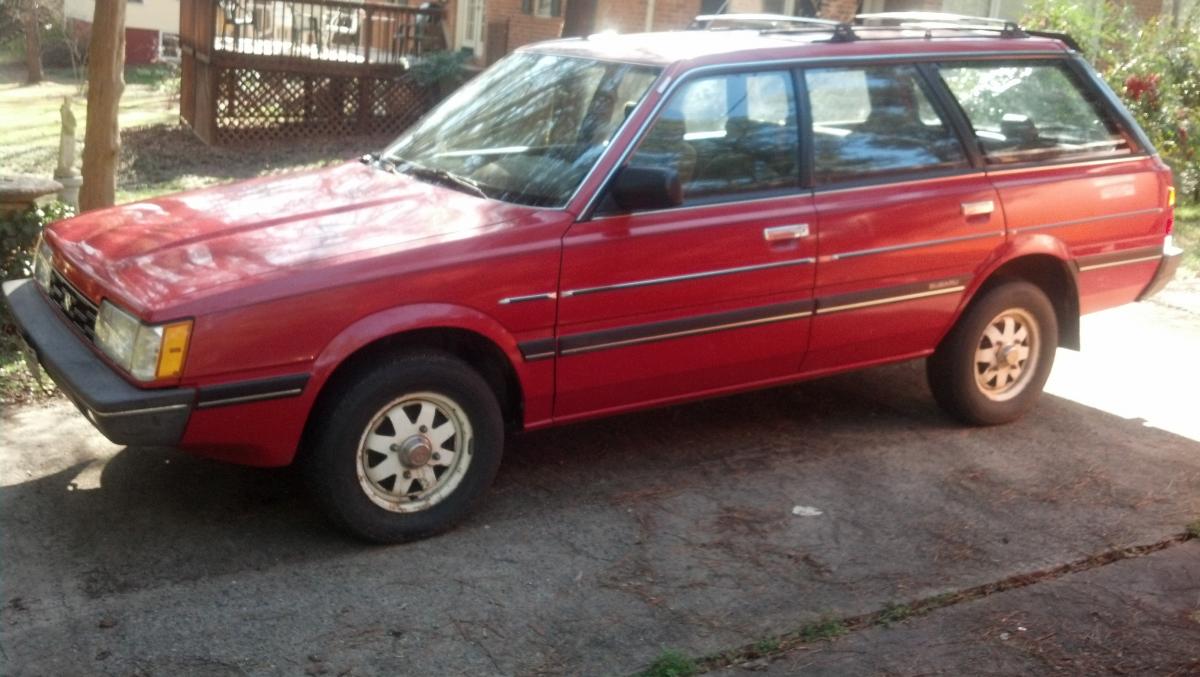
  2. I just purchased a 86 GL wagon, my 1st ever Soobie. 1.8 carbed, Automatic, A/C, 4WD a real power house! LOL. but its a time capsule, 1 owner, he passed away in December, 30,140. original miles. and every receipt, invoice, and note. from the salesman when he bought it, to the day he passed. I bought it cause it was cheap, but I have to admit the little car is winning me over.
Account

Navigation

Search

Search

Configure browser push notifications

Chrome (Android)
  1. Tap the lock icon next to the address bar.
  2. Tap Permissions → Notifications.
  3. Adjust your preference.
Chrome (Desktop)
  1. Click the padlock icon in the address bar.
  2. Select Site settings.
  3. Find Notifications and adjust your preference.