Skip to content
View in the app

A better way to browse. Learn more.

Ultimate Subaru Message Board

A full-screen app on your home screen with push notifications, badges and more.

To install this app on iOS and iPadOS
  1. Tap the Share icon in Safari
  2. Scroll the menu and tap Add to Home Screen.
  3. Tap Add in the top-right corner.
To install this app on Android
  1. Tap the 3-dot menu (⋮) in the top-right corner of the browser.
  2. Tap Add to Home screen or Install app.
  3. Confirm by tapping Install.

matatown

Members
  • Joined

  • Last visited

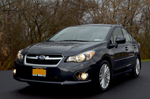
  1. Just picked up a 2014 Impreza Limited. She is BEAUTFUL. This is also my 5th Subaru - I previously owned a Loyale, an Outback, a Forester and previous to this Impreza, I owned a 2010 Impreza Premium. So here's my question - I was driving the 2014 last night and noticed that there was no light on in the cubby directly below the nav/radio area. My 2010's little cubby below the radio WAS lit - it was a red ambient light. So - did Subaru stop providing that little nicety or is something amiss? I will obviously call the dealer tomorrow (11/11/) but I was wondering if there was any info out there? Happy to be aboard BTW.

Account

Navigation

Search

Search

Configure browser push notifications

Chrome (Android)
  1. Tap the lock icon next to the address bar.
  2. Tap Permissions → Notifications.
  3. Adjust your preference.
Chrome (Desktop)
  1. Click the padlock icon in the address bar.
  2. Select Site settings.
  3. Find Notifications and adjust your preference.