racemi
Members
-
Joined
-
Last visited
Everything posted by racemi
-
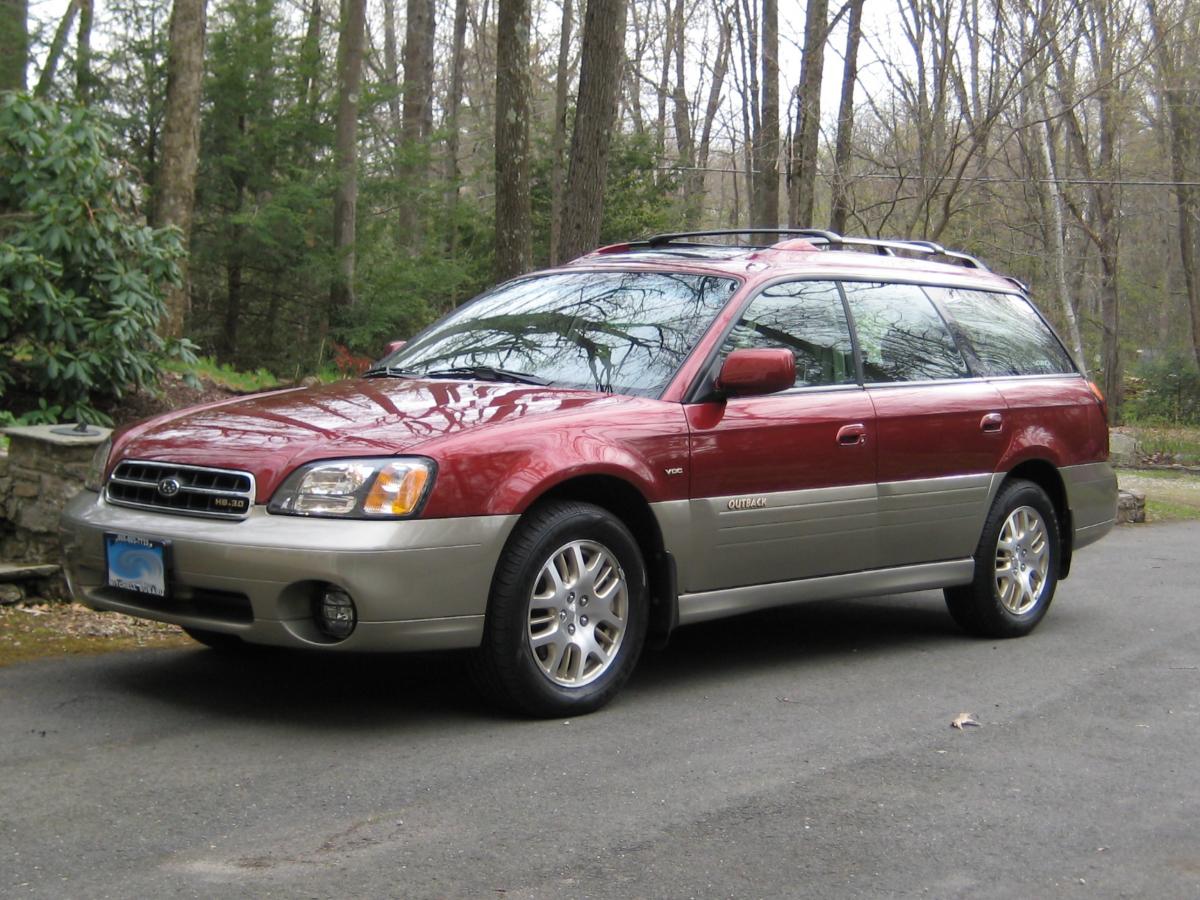
I just bought a 2002 Outback H6 3.0 VDC wagon with only 65,000 miles! It was owned by an old woman who bought it when she was 70 and now twelve years later at 82 she traded it in on a 2014 Outback. This is one pristine ride! This is my third Subaru (2001 Outbck 2.5, 2009 Impreza 2.5i and now the 2002 Outback VDC. I always liked the 2001 Outback and when I traded it in on the 2009 I felt that I lost an old friend. Now with the 2002, my friend is back and has a lot more goodies to offer. The McIntosh audio system is super! So I'm in love again and back tyo where I want to be. I gave the Impreza to my daughter so that she can student teach next semester. So I really needed another car, I just never thought I could find another Outback I wanted since all the ones in my price range had 150000+ miles on them. I know about the long life of Subarus, but I wanted one that had been maintained and had low mileage. The dealer gave me a print-out of all the service records on the car since it was always serviced there. She had all the work done at the dealer and the oil changed every 3000 miles. I know how lucky I am and I will try to keep this one well maintained. I wish I had a garage now.