Skip to content
View in the app

A better way to browse. Learn more.

Ultimate Subaru Message Board

A full-screen app on your home screen with push notifications, badges and more.

To install this app on iOS and iPadOS
  1. Tap the Share icon in Safari
  2. Scroll the menu and tap Add to Home Screen.
  3. Tap Add in the top-right corner.
To install this app on Android
  1. Tap the 3-dot menu (⋮) in the top-right corner of the browser.
  2. Tap Add to Home screen or Install app.
  3. Confirm by tapping Install.

Rude1

Members
  • Joined

  • Last visited

Everything posted by Rude1

  1. yes & thanks for the heads up. On the CVT I noticed no filter; so I'll be leavin' that to the dealer.
  2. Oops. Found it on a crosstrek forum.
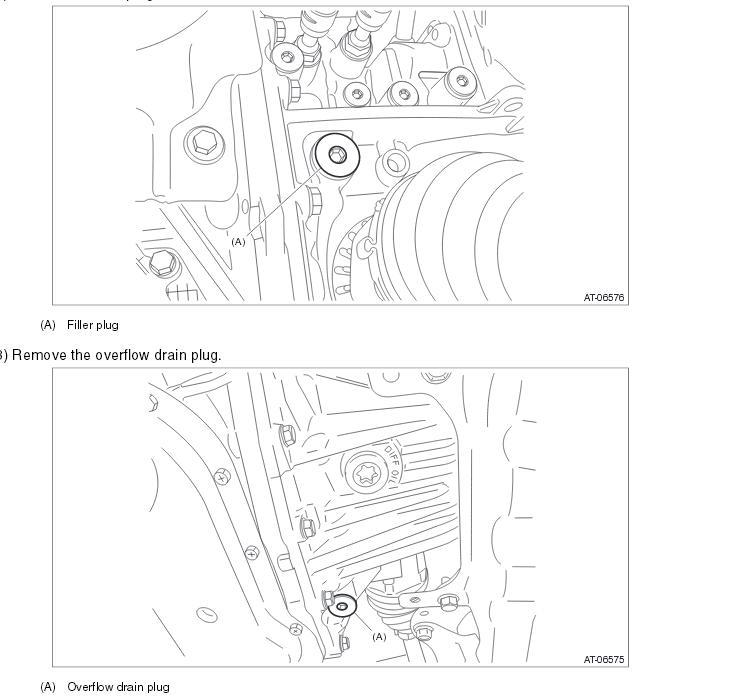
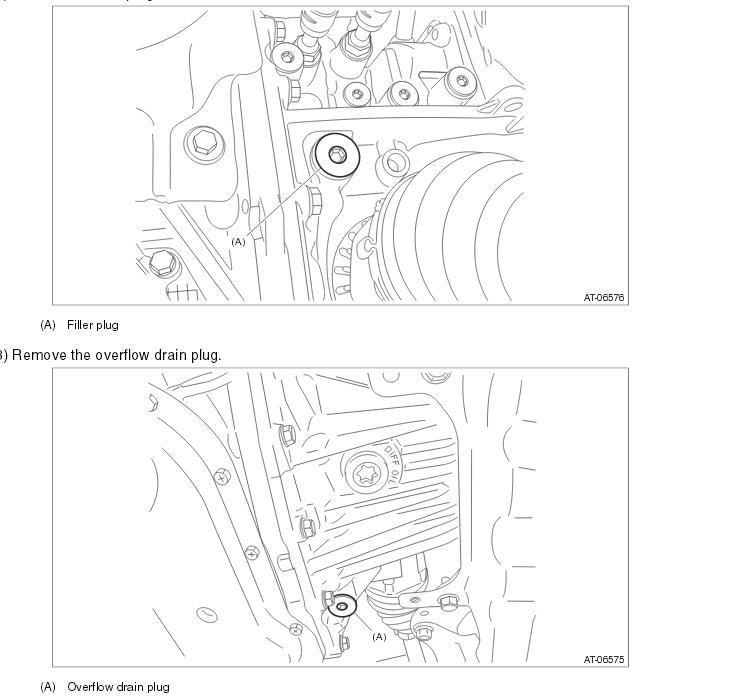
  3. Was under my 2014 Crosstrek to do 30k svc and rear diff was same as my 2001 Outback. Front diff has T70 star to remove drain, but I do not see where to refill or add. So the ? is; Where is the oil fill hole?
  4. Hello from Southeastern Mass. Bought a 2001 Outback in May 2014 and am enjoying it so far. Car had 167k miles when purchased. Runs well, not an oil burner. Wife drives a 2014 Crosstrek.

Account

Navigation

Search

Search

Configure browser push notifications

Chrome (Android)
  1. Tap the lock icon next to the address bar.
  2. Tap Permissions → Notifications.
  3. Adjust your preference.
Chrome (Desktop)
  1. Click the padlock icon in the address bar.
  2. Select Site settings.
  3. Find Notifications and adjust your preference.