Skip to content
View in the app

A better way to browse. Learn more.

Ultimate Subaru Message Board

A full-screen app on your home screen with push notifications, badges and more.

To install this app on iOS and iPadOS
  1. Tap the Share icon in Safari
  2. Scroll the menu and tap Add to Home Screen.
  3. Tap Add in the top-right corner.
To install this app on Android
  1. Tap the 3-dot menu (⋮) in the top-right corner of the browser.
  2. Tap Add to Home screen or Install app.
  3. Confirm by tapping Install.

keefer112

Members
  • Joined

  • Last visited

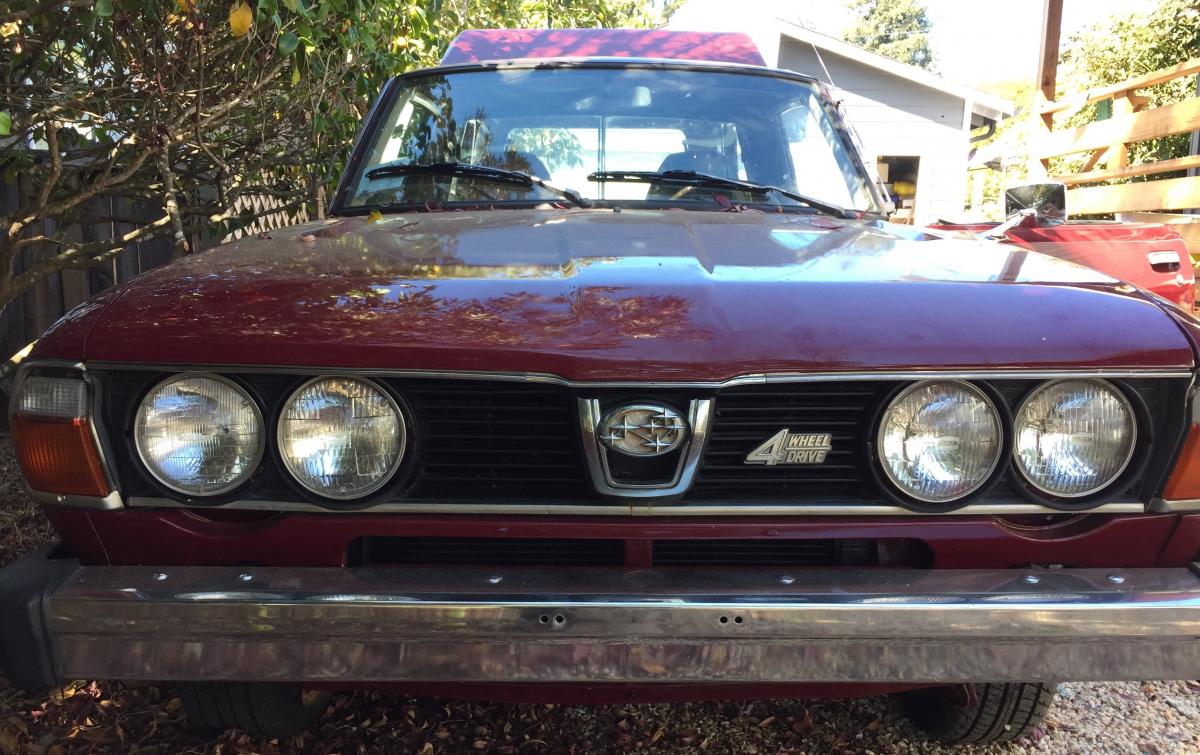
  1. I don't have a ton of images, but here's another one from the front. The list of stuff still to do is aplenty: rear main seal, KC lights on push bar, side graphics, mount rear seats, water pump replacement, taking slop out of shifter, new brake power booster, trim along the bottom edge...the list goes on and on. But having fun with it. -kjh
  2. HI All, Long time lurker here, just wanted to say hi and thanks already for everything I've learned on here. About a month ago, picked up my dream car...1979 Brat. 95k miles, not a spec of dust on her, but plenty of work to do. Oil leaks galore, some electrical gremlins...and eventually trying to get back the infamous California smog test. Anyhow, howdy to one and all... I'll be asking a lot of questions. -Keith
Account

Navigation

Search

Search

Configure browser push notifications

Chrome (Android)
  1. Tap the lock icon next to the address bar.
  2. Tap Permissions → Notifications.
  3. Adjust your preference.
Chrome (Desktop)
  1. Click the padlock icon in the address bar.
  2. Select Site settings.
  3. Find Notifications and adjust your preference.