Skip to content
View in the app

A better way to browse. Learn more.

Ultimate Subaru Message Board

A full-screen app on your home screen with push notifications, badges and more.

To install this app on iOS and iPadOS
  1. Tap the Share icon in Safari
  2. Scroll the menu and tap Add to Home Screen.
  3. Tap Add in the top-right corner.
To install this app on Android
  1. Tap the 3-dot menu (⋮) in the top-right corner of the browser.
  2. Tap Add to Home screen or Install app.
  3. Confirm by tapping Install.

stronghammer

Members
  • Joined

  • Last visited

Everything posted by stronghammer

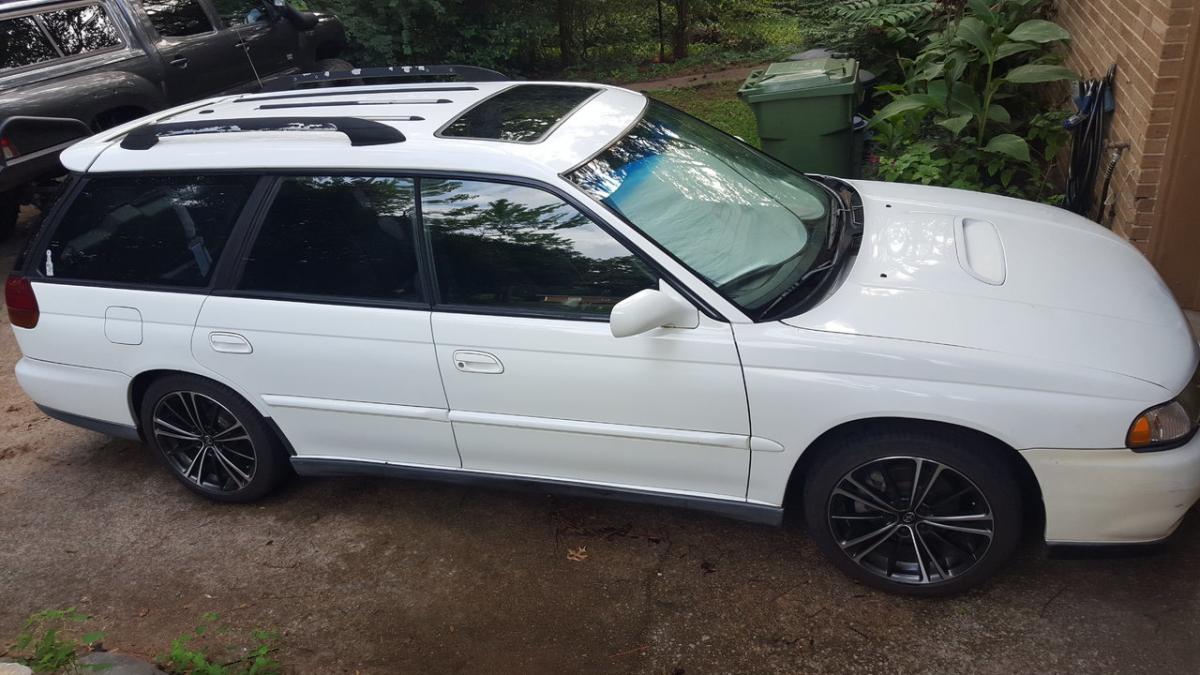
  1. I just purchased a 1998 Subaru Legacy GT Wagon to use as my daily driver. I don't have a ton of knowledge in Subaru's so I'm hoping this thread will draw in some with more experience than me. I won't do as many changes as I have to my Toyota Tacoma to this car, but I am incapable of keeping a vehicle stock... Details: 1998 Subaru Legacy GT Wagon 188k Miles 5 Speed Manual Transmission 2.5L 4cyl AWD 2016 Scion FRS 17" Rims WRX Struts
Account

Navigation

Search

Search

Configure browser push notifications

Chrome (Android)
  1. Tap the lock icon next to the address bar.
  2. Tap Permissions → Notifications.
  3. Adjust your preference.
Chrome (Desktop)
  1. Click the padlock icon in the address bar.
  2. Select Site settings.
  3. Find Notifications and adjust your preference.