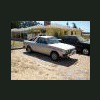
September 19, 200916 yr Anybody possibly interested in one of these. I got a wild hair to make this up at the header shop I work at. I know for California you have to have the original resonator on the car for the visual inspection. I thought this might interest someone. It really only made the car slighty louder too. I liked it. I have more pictures at:http://s147.photobucket.com/albums/r281/subieguy/
September 19, 200916 yr is it only for the historic subarus, the one on my 88 wagon is rattling. How much louder is it.
September 19, 200916 yr Author As far as I know it will only fit gen 1's. It will fit a 78-80 Brat and it fits on my 76 4wd wagon. So I would think it would fit on gen 1 4wd wagons also. Not sure if it would work on a 81 Brat though. Richard

Please sign in to comment
You will be able to leave a comment after signing in
Sign In Now