Skip to content
View in the app

A better way to browse. Learn more.

Ultimate Subaru Message Board

A full-screen app on your home screen with push notifications, badges and more.

To install this app on iOS and iPadOS
  1. Tap the Share icon in Safari
  2. Scroll the menu and tap Add to Home Screen.
  3. Tap Add in the top-right corner.
To install this app on Android
  1. Tap the 3-dot menu (⋮) in the top-right corner of the browser.
  2. Tap Add to Home screen or Install app.
  3. Confirm by tapping Install.

Tumwater PAP Update

Featured Replies

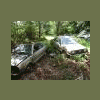
There is a '86,4wd Hatch there. It's orange or maybe more of a red orange. Its kinda smashed up a bit.The pass. door is nice.Left fender is nice. Rear hatch is good.Grill is good. All the glass is good.And,the motor,interior and d/r 4sp. haven't been touched,Yet.

weird, i haven't seen this. Is it just sitting or is it being driven?


-Kelsey

  • Author
weird, i haven't seen this. Is it just sitting or is it being driven?


-Kelsey


Well,it's pretty much just sitting,you know,amongst a couple hundred other end of life cars,at the Tumwater Pick-A-Part.:grin:


It's the only ea81 I've seen there in a really long time. This one just came out.

oh wow, i didn't know it was in pick-a-part.

i know what i'm doing tomorrow...:rolleyes:


-Kelsey

Please sign in to comment

You will be able to leave a comment after signing in

Sign In Now

Account

Navigation

Search

Search

Configure browser push notifications

Chrome (Android)
  1. Tap the lock icon next to the address bar.
  2. Tap Permissions → Notifications.
  3. Adjust your preference.
Chrome (Desktop)
  1. Click the padlock icon in the address bar.
  2. Select Site settings.
  3. Find Notifications and adjust your preference.