Skip to content
View in the app

A better way to browse. Learn more.

Ultimate Subaru Message Board

A full-screen app on your home screen with push notifications, badges and more.

To install this app on iOS and iPadOS
  1. Tap the Share icon in Safari
  2. Scroll the menu and tap Add to Home Screen.
  3. Tap Add in the top-right corner.
To install this app on Android
  1. Tap the 3-dot menu (⋮) in the top-right corner of the browser.
  2. Tap Add to Home screen or Install app.
  3. Confirm by tapping Install.

Gen 1 Brat -- plastic tabs between vent grill and windshield DIY replacements

Featured Replies

Hi --


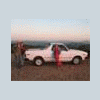
Those little plastic parts between the air vent and the windshield? Most of mine were lost and I kinda get carried away with details sometimes, so... I made new ones:


IMG_1925_edited-1.jpg


If anyone else wants to make them, here's the full scoop on how I did it. They turned out great!


Plastic Tab Protectors Creation


Another part of my 1981 Subaru Brat Restoration Tips and Tricks


As always, I hope this helps someone,


-Ben

Edited by bendecker

  • Author

Thanks for the kudos! I'm working on the small stick shift knob now and have my future sites set on tailgate chrome, windshield chrome and the strut mounts.

Please sign in to comment

You will be able to leave a comment after signing in

Sign In Now

Account

Navigation

Search

Search

Configure browser push notifications

Chrome (Android)
  1. Tap the lock icon next to the address bar.
  2. Tap Permissions → Notifications.
  3. Adjust your preference.
Chrome (Desktop)
  1. Click the padlock icon in the address bar.
  2. Select Site settings.
  3. Find Notifications and adjust your preference.