Skip to content
View in the app

A better way to browse. Learn more.

Ultimate Subaru Message Board

A full-screen app on your home screen with push notifications, badges and more.

To install this app on iOS and iPadOS
  1. Tap the Share icon in Safari
  2. Scroll the menu and tap Add to Home Screen.
  3. Tap Add in the top-right corner.
To install this app on Android
  1. Tap the 3-dot menu (⋮) in the top-right corner of the browser.
  2. Tap Add to Home screen or Install app.
  3. Confirm by tapping Install.

First time owner

Featured Replies

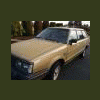
Thought Id introduce myself. I just picked up an 83 Subaru wagon. Purchased from the original owner with 314xxx miles on her. Im pretty stoked. Always wanted an older Subaru. Anyhow, Ill be in here often

Welcome! Lots of members in WA. Tons of knowledge on this board also.

  • Author

Was going thru the car. Even came with the window sticker from Renton Subaru:banana: Tought Id add some pictures as well.

Edited by skinny_pedal

Please sign in to comment

You will be able to leave a comment after signing in

Sign In Now

Account

Navigation

Search

Search

Configure browser push notifications

Chrome (Android)
  1. Tap the lock icon next to the address bar.
  2. Tap Permissions → Notifications.
  3. Adjust your preference.
Chrome (Desktop)
  1. Click the padlock icon in the address bar.
  2. Select Site settings.
  3. Find Notifications and adjust your preference.