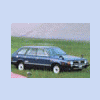
April 22, 201015 yr A friend owns a Dutch 1988 Loyale 1.8 4WD (EA82 carb, D/R tranny) and recently swapped in a complete 1990 Legacy 2.2 AWD driveline in. I helped with the wiring and supplied the DOHC engine parts. He took pictures of the process and vids of the result. Mods: 1990 EJ22E with JDM EJ20H DOHC heads (and matching pistons) 1990 EJ22E 5-MT with 3.900 final drive to match EA 3.900 rear diff (standard EA82 front axles) 1990 EJ22E stripped wiring loom with ECU Shortened propeller shaft Welded up tranmission mount Modified stock EA82 exhaust Modified radiator in- and outlets to match EJ hoses Walbro universal fuel pump Oh and it goes like stink (turn sound up) Edited April 22, 201015 yr by LeoneTurbo
April 22, 201015 yr Nice. I like what you (or your friend) did with the wiring through the fender and the transmission mount. Jacob
April 22, 201015 yr There is some more ( Dutch ) info about this EA to EJ swap. Take a look here --> http://www.subaru-youngtimers.com/forum/viewtopic.php?f=61&t=5014
April 23, 201015 yr When I do my EJ, I have been thinking about swapping in a '93 impreza 4EAT to replace my 4EAT in my loyale t-wagon as well and just the full EJ driveline swap. Having AWD with all the EJ power in a EA car just seems like a good idea to me Good to see someone do it with a 5mt though! Good work!

Please sign in to comment
You will be able to leave a comment after signing in
Sign In Now