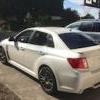
September 1, 201411 yr Hi All- I am 45, really wanted either a WRX or a 135i, and just bought a 2012 Pearl White 2012 WRX. Great car after driving it myself for a couple days. 3 gripes: Pretty spongy in side to side steering test, a lot of nose dive upon full stop, and no backup sensors/camera (which I have had in last 3 vehicles, including my Denali XL I drive for work). Questions: 1) I know there are special code words for the year and models of my car and would like to know what mine are (EG: BMW E39 for a 2004 M5, etc). 2) Would like to know the best bang for buck short shifter, HP boost, and suspension upgrades for short term fixes. 3) I am in Portland Or, would like to know the "smartest" place in town to get info and work done. 4) Would like to know if backup sensors have been installed by anyone that work really well and install nicely. I know time is valuable and I appreciate your opinions, with intelligent feedback.

Please sign in to comment
You will be able to leave a comment after signing in
Sign In Now