Skip to content
View in the app

A better way to browse. Learn more.

Ultimate Subaru Message Board

A full-screen app on your home screen with push notifications, badges and more.

To install this app on iOS and iPadOS
  1. Tap the Share icon in Safari
  2. Scroll the menu and tap Add to Home Screen.
  3. Tap Add in the top-right corner.
To install this app on Android
  1. Tap the 3-dot menu (⋮) in the top-right corner of the browser.
  2. Tap Add to Home screen or Install app.
  3. Confirm by tapping Install.

1978 Subaru Brat Front Marker Lights

Featured Replies

I noticed the light bulb sockets for the front marker lights on my 1978 Subaru Brat dangling from the end of their wires in the front wheel well.  To me it looks like the body of the front marker light was just a rubber boot with an integrated lamp holder.  A simple cost-effective design that presents a problem when the rubber turns to dust.  I cannot  be the only one who has seen this problem.  How have you dealt with this situation?

The simple choice would be to just tie the wires out of the way and use the stock marker light lense as a reflector.  However I would prefer the marker lights be illuminated and have not been able to find an aftermarket substitute that looks ok.

  • 5 months later...
  • Author

I ended up purchasing a pair of Optronics MCL32AB marker/clearance lights, discarding the included lens, then attaching the body to the rear of the fender MacGyver style.

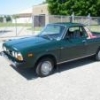
 

Inside_fender_well_1024x768.jpg

Clamp_plates_installed_1024x768.jpg

Lamp_on_1_1024x768.jpg

Please sign in to comment

You will be able to leave a comment after signing in

Sign In Now

Account

Navigation

Search

Search

Configure browser push notifications

Chrome (Android)
  1. Tap the lock icon next to the address bar.
  2. Tap Permissions → Notifications.
  3. Adjust your preference.
Chrome (Desktop)
  1. Click the padlock icon in the address bar.
  2. Select Site settings.
  3. Find Notifications and adjust your preference.