Skip to content
View in the app

A better way to browse. Learn more.

Ultimate Subaru Message Board

A full-screen app on your home screen with push notifications, badges and more.

To install this app on iOS and iPadOS
  1. Tap the Share icon in Safari
  2. Scroll the menu and tap Add to Home Screen.
  3. Tap Add in the top-right corner.
To install this app on Android
  1. Tap the 3-dot menu (⋮) in the top-right corner of the browser.
  2. Tap Add to Home screen or Install app.
  3. Confirm by tapping Install.

Meet HERO

Featured Replies

Purchased recently

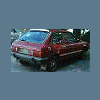
he's an 1985 GL Hatchback

1.8 overhead valve (yeeeeaaaaaaah)

4WD dual range 4-speed (fun)

137,000 miles

as soon as i can post pictures i will

you can catch a preview on my avatar

looking forward to the help here with my new ride

hey enjoy her i know i love mine. named hoosier as in hoosier daddy?


planning on converting over to straight axle in the rear it just feels right to have it rear wheel Drive MMM yes

IMG_3869.jpg


DSCN1576.jpg


old pics but yeah ill get new ones soon enough

Please sign in to comment

You will be able to leave a comment after signing in

Sign In Now

Account

Navigation

Search

Search

Configure browser push notifications

Chrome (Android)
  1. Tap the lock icon next to the address bar.
  2. Tap Permissions → Notifications.
  3. Adjust your preference.
Chrome (Desktop)
  1. Click the padlock icon in the address bar.
  2. Select Site settings.
  3. Find Notifications and adjust your preference.