Skip to content
View in the app

A better way to browse. Learn more.

Ultimate Subaru Message Board

A full-screen app on your home screen with push notifications, badges and more.

To install this app on iOS and iPadOS
  1. Tap the Share icon in Safari
  2. Scroll the menu and tap Add to Home Screen.
  3. Tap Add in the top-right corner.
To install this app on Android
  1. Tap the 3-dot menu (⋮) in the top-right corner of the browser.
  2. Tap Add to Home screen or Install app.
  3. Confirm by tapping Install.

Leaderboard

Popular Content

Showing content with the highest reputation on 01/30/25 in Posts

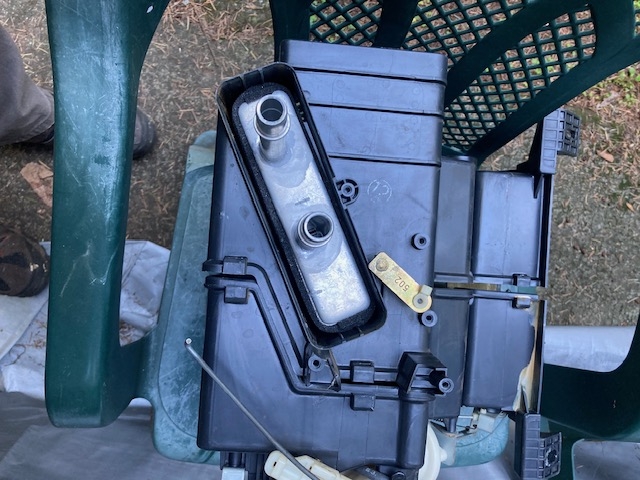
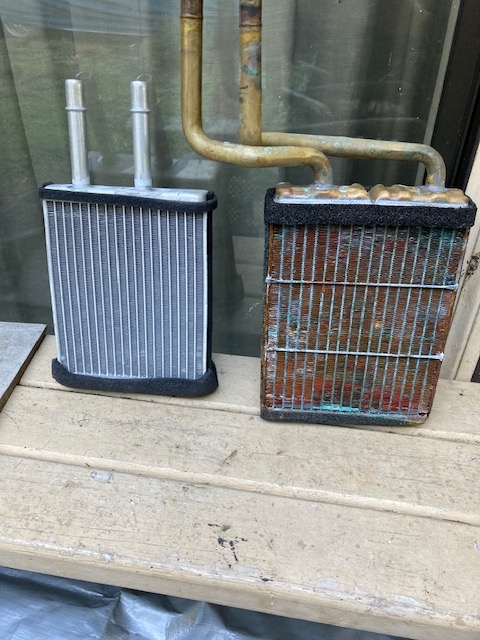
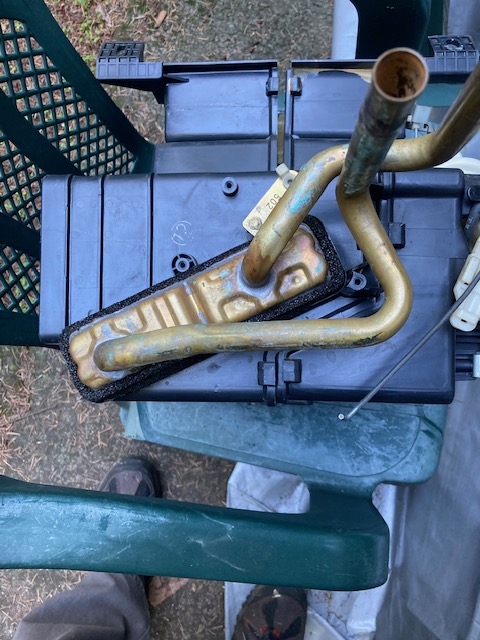
  1. OK, I found a replacement heater core that fits in the plastic heater box: https://www.carparts.com/Heater-Core/Replacement/REPM503005 I'm looking into using Sharkbite 1/2" 90 degree elbows to reuse portions of the old piping: https://www.amazon.com/SharkBite-Connect-Plumbing-Fitting-UR248A/dp/B0C4QWMXST/ref=asc_df_B0C4QWMXST
Account

Navigation

Search

Search

Configure browser push notifications

Chrome (Android)
  1. Tap the lock icon next to the address bar.
  2. Tap Permissions → Notifications.
  3. Adjust your preference.
Chrome (Desktop)
  1. Click the padlock icon in the address bar.
  2. Select Site settings.
  3. Find Notifications and adjust your preference.