06Impreza2.5
Members
-
Joined
-
Last visited
-
i guess ill just have to get used to it. lol. and im glad im welcome here.
-
ill definatly do that
-
thanx subiedaddy. this forum is better than the bay state dsm forum i tried out a year ago. they were all a bunch of *********************s
-
well that would explain that. i was just alittle confused as to y they r poping up now. and another thing..... how come when i was tryin to look for an sti, i couldnt find a single one. then after i buy my 2.5 they r everywhere? i really badly wanted an sti, or atleast a wrx.
-
thanx twitch. and as far as parts go, im not really lookin to make my car extremely fast and go to the strip and race. i just want to stand out from the crowd because half my city drives subarus and it is very annoying because before i got mine, they were no where and now everyone and their grandmother has one. they r almost as popular as honda in my city. lol
-
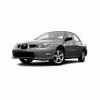
hi. my name is tom. i am new to the USMB website, and i am also new to the subaru world. my entire life ive been around chevy, pontiac, and oldsmobile. and when my camaro broke down i decided to go for a subaru because i heard they were extremely reliable. i just recently bought a 2006 2.5i and i wouldnt trade it for anything. and i also heard that subie owners and subie lovers r extremely friendly, and i was hoping u guys could help me along with any questions i might have. thank u very much