Skip to content
View in the app

A better way to browse. Learn more.

Ultimate Subaru Message Board

A full-screen app on your home screen with push notifications, badges and more.

To install this app on iOS and iPadOS
  1. Tap the Share icon in Safari
  2. Scroll the menu and tap Add to Home Screen.
  3. Tap Add in the top-right corner.
To install this app on Android
  1. Tap the 3-dot menu (⋮) in the top-right corner of the browser.
  2. Tap Add to Home screen or Install app.
  3. Confirm by tapping Install.

trecooljr

Members
  • Joined

  • Last visited

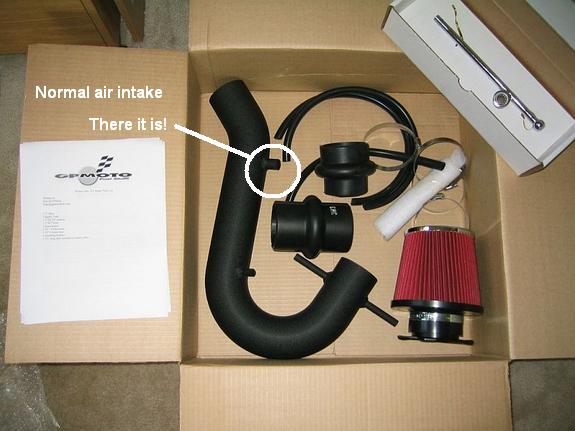
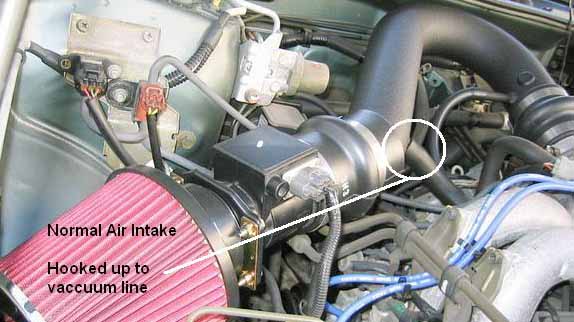
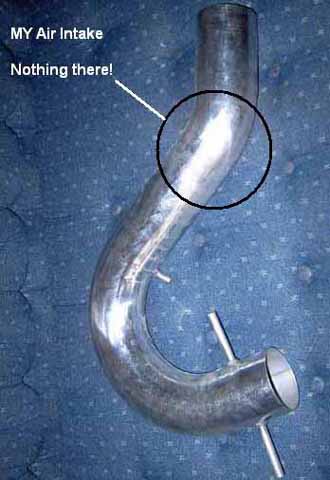
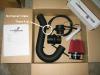
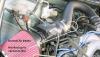
  1. long time reader, first time poster -- and i admit upfront i'm not very mechanically inclined.. anyway, i got this air intake for my 98 legacy gt and realized when i was installing it that it's missing a plug thingy for one of the vacuum lines. So what do i do about that? Is there a way i can bypass it? Some type of adaptor where i can hook it up to a different line? Do i need to get one welded on or something?? this sucks.. :-\ Any help you guys can give would be greatly appriciated!
Account

Navigation

Search

Search

Configure browser push notifications

Chrome (Android)
  1. Tap the lock icon next to the address bar.
  2. Tap Permissions → Notifications.
  3. Adjust your preference.
Chrome (Desktop)
  1. Click the padlock icon in the address bar.
  2. Select Site settings.
  3. Find Notifications and adjust your preference.