Skip to content
View in the app

A better way to browse. Learn more.

Ultimate Subaru Message Board

A full-screen app on your home screen with push notifications, badges and more.

To install this app on iOS and iPadOS
  1. Tap the Share icon in Safari
  2. Scroll the menu and tap Add to Home Screen.
  3. Tap Add in the top-right corner.
To install this app on Android
  1. Tap the 3-dot menu (⋮) in the top-right corner of the browser.
  2. Tap Add to Home screen or Install app.
  3. Confirm by tapping Install.

JDMfrom541

Members
  • Joined

  • Last visited

  1. haha most people around here lift trucks, or are ricers lolol
  2. okay thanks ! im probably going to replace the battery and alternator, and hope that fixes it
  3. yeah i dont know why it didnt work ill keep trying
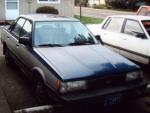
  4. Hey guys i just joined recently, and i figured id share my new to me gl sedan (: im also going to keep you updated on anything i change/do to it So ill start off with the bad... WHAT IT NEEDS EGR Valve Battery tires and rims it has a very small oil leak a tune up (; and thats everything major i can think of right now and then theres little things like trim pieces ect. but other then that it ran pretty good before the battery shorted out haha lmk what you think or if you have any questions and it wont let me post pics here so just click the link below to see the car http://s1297.photobucket.com/user/mrbeavis541/library/1986%20Subaru%20GL-10?page=1
Account

Navigation

Search

Search

Configure browser push notifications

Chrome (Android)
  1. Tap the lock icon next to the address bar.
  2. Tap Permissions → Notifications.
  3. Adjust your preference.
Chrome (Desktop)
  1. Click the padlock icon in the address bar.
  2. Select Site settings.
  3. Find Notifications and adjust your preference.