Skip to content
View in the app

A better way to browse. Learn more.

Ultimate Subaru Message Board

A full-screen app on your home screen with push notifications, badges and more.

To install this app on iOS and iPadOS
  1. Tap the Share icon in Safari
  2. Scroll the menu and tap Add to Home Screen.
  3. Tap Add in the top-right corner.
To install this app on Android
  1. Tap the 3-dot menu (⋮) in the top-right corner of the browser.
  2. Tap Add to Home screen or Install app.
  3. Confirm by tapping Install.

joking41

Members
  • Joined

  • Last visited

  1. since the first day iv'e had my Subaru the gas gauge hasn't worked. iv'e done a few tests and it seems like the fuel sender no ohm's are coming from the sender. i have power to the sender and a good ground. if anyone has a fuel sender laying around that works id be more then grateful to buy it. let me know if im wrong about my presumptions.
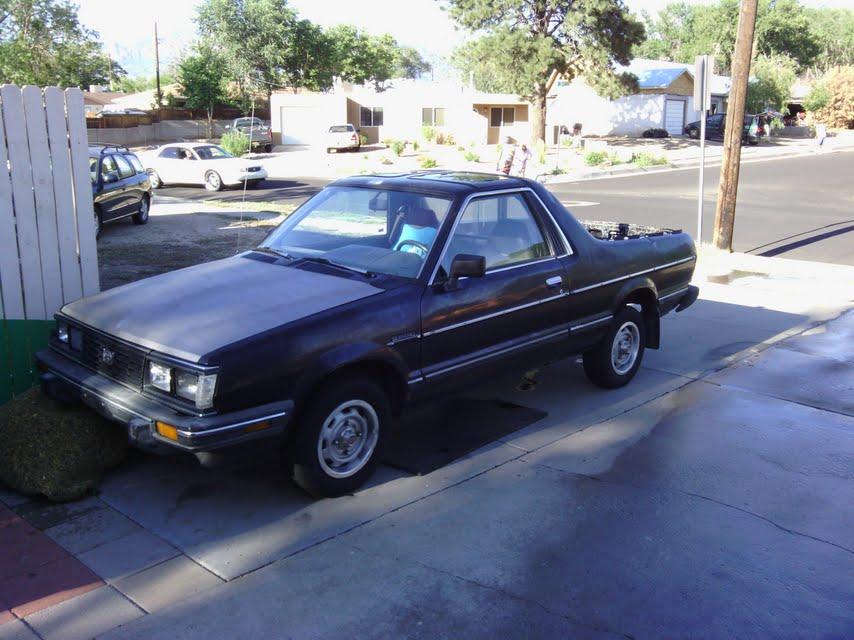
  2. im landon aka joking41 thought id get a profile on usmb as i am a owner or a 1987 subaru brat 246k and still ticking. had the car for not to long but im improving it here and there back to its original form. ive got questions uve got answers!
Account

Navigation

Search

Search

Configure browser push notifications

Chrome (Android)
  1. Tap the lock icon next to the address bar.
  2. Tap Permissions → Notifications.
  3. Adjust your preference.
Chrome (Desktop)
  1. Click the padlock icon in the address bar.
  2. Select Site settings.
  3. Find Notifications and adjust your preference.