Skip to content
View in the app

A better way to browse. Learn more.

Ultimate Subaru Message Board

A full-screen app on your home screen with push notifications, badges and more.

To install this app on iOS and iPadOS
  1. Tap the Share icon in Safari
  2. Scroll the menu and tap Add to Home Screen.
  3. Tap Add in the top-right corner.
To install this app on Android
  1. Tap the 3-dot menu (⋮) in the top-right corner of the browser.
  2. Tap Add to Home screen or Install app.
  3. Confirm by tapping Install.

fisk50

Members
  • Joined

  • Last visited

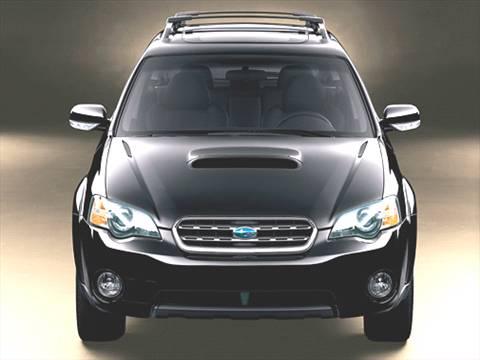
  1. i'm new to this broad. i've been a lover of subarus for a while now. and i think its time for me to get one of my own. i really like the foresters, but i sat inside of a outback wagon and it has more room. so i think the outback late 3th gen is the one for me. 2.5xt turbo. i need the do's and don'ts and what to watch out for when purchasing one of these cars please help thanks guys.
  2. thanks for the reply, im still doing my research on the gen/year i want. ill check out that section also.
  3. i'm new to this broad. i've been a lover of subarus for a while now. and i thinks its time for me to get one of my own. i really like the foresters, but i sat inside of a outback wagon and it has more room. so i think the outback 4th gen is the one for me. 2.5xt turbo. i need the do's and don'ts of these cars please help thanks guys.


Account

Navigation

Search

Search

Configure browser push notifications

Chrome (Android)
  1. Tap the lock icon next to the address bar.
  2. Tap Permissions → Notifications.
  3. Adjust your preference.
Chrome (Desktop)
  1. Click the padlock icon in the address bar.
  2. Select Site settings.
  3. Find Notifications and adjust your preference.