IMPREZA425
Members
-
Joined
-
Last visited
Everything posted by IMPREZA425
-
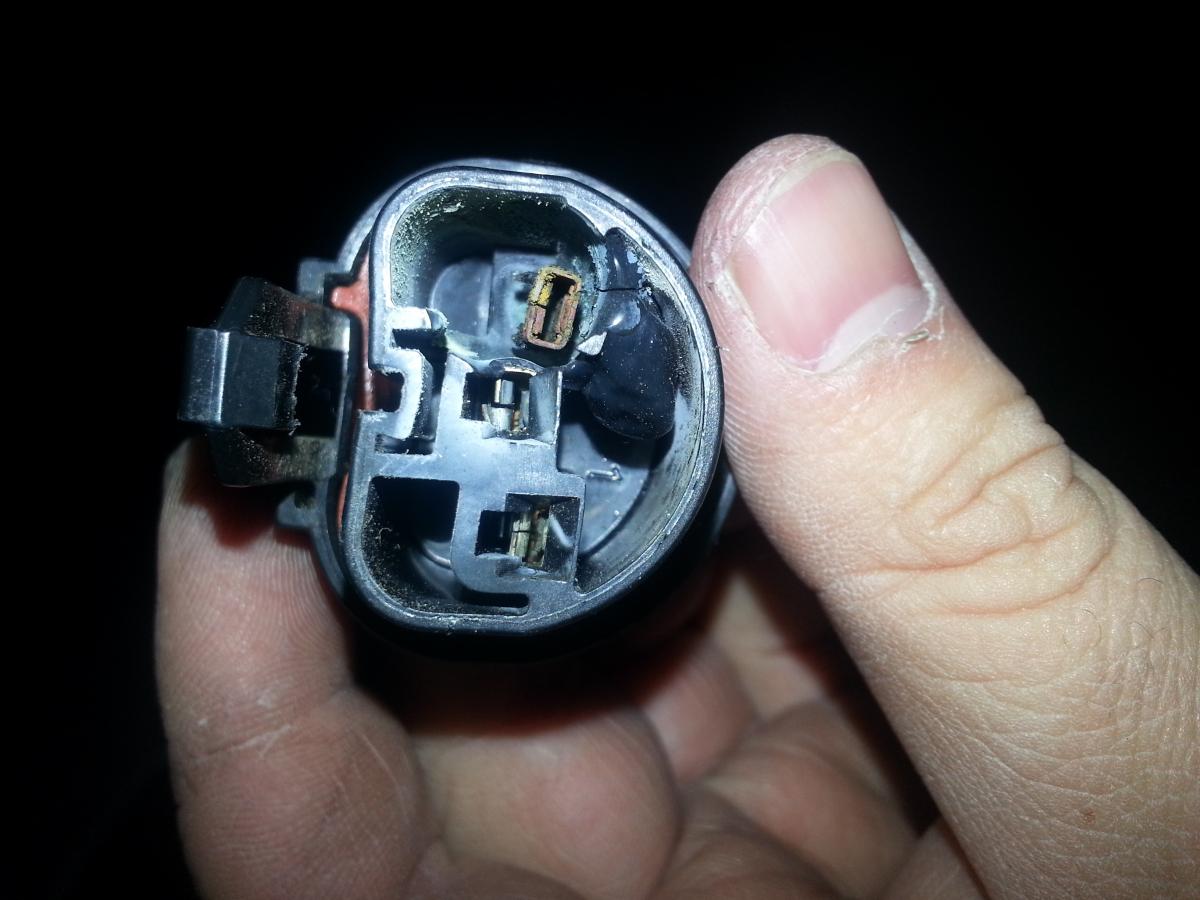
I have a 2002 impreza outback wagon I been having trouble with the driver side head light connector being fried. I have read that it is a common problem does anyone know what causes this or how to fix it?? I have spliced in another connector but it is doing the same thing. Here is the pix of the connector. So what I have done before all of this I have Installed an HID kit. But it was kind of finiky because sometimes the HID kit wouldnt make my fog lights work. I would have to press the fog light button couple of times before it does work. So i disconected the HID kit completely only to find out the connector to the HID was fried. Then i put back in the stock bulbs and has worked for a while then same thing happened my connector melted on the inside then i spliced in another connector and the same thing is happening. This is what my connector is doing in the pic. PLZ PLZ PLZ HELP