subarubino
Members
-
Joined
-
Last visited
Everything posted by subarubino
-
subarubino replied to Fairtax4me's topic in 1990 to Present Legacy, Impreza, Outback, Forester, Baja, WRX&WrxSTI, SVXI've been experiencing problems with my '98 OBS, code for knock sensor came up, replaced it, nothing. The car sometimes runs as a new car, then for no reason at all, starts misfiring, bucking, etc. I am stumped. Nice write up here, I followed the directions to the T
-
Thanks. I'm having a lot of problems with mine right now, hopefully will have it fixed soon. Lots of good info here, people seem friendly and helpful too
-
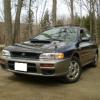
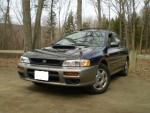
Hello all - I'm Mike and my driver is a 1998 Impreza OBS with 220,000 miles on the clock (100,000 more than when I bought her 3 years ago. Looking forward to my next one, hopefully a 2002-2003.