CrazyCorey864
Members
-
Joined
-
Last visited
Everything posted by CrazyCorey864
-
I like the look of that push bar on the front. Was it much work to make it adapt or was it a straight bolt on?
-
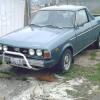
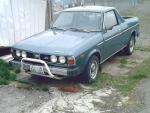
Hi everyone, Well after many attempts and error messages later, I have finally got my account on here validated. YAY!! Recently been trying to come up with a plan for my 1978 Brat. Rebuild/Sell? Not quite sure which way I'm leaning towards yet. Kinda hard to want to sell it beings it is the first vehicle I learned to drive in. Not to mention the first vehicle I purchased myself. With that being said. Stock rebuild, EJ22 swap or sell. My 3 choices of the matter. Read many great things through searches on the forums but can always learn something new.
-
Congrats on the new Brat. I have a 78 myself. Its been sitting for a couple years now. Always moving around, starting other projects, but trying to get back to driving the brat again. Stopped driving since it was going through about a quart of oil every other day straight into the air filter. How much did you purchase the brats for?