todadamson
Members
-
Joined
-
Last visited
-
todadamson replied to todadamson's topic in 1990 to Present Legacy, Impreza, Outback, Forester, Baja, WRX&WrxSTI, SVXThanks guys! I appreciate your time responding to my post. When I replace the Crank Pulley is there any benefit replacing it with the Grimmspeed or similar type part. It costs $175. A used part is around $35. I also saw some Crank Pulleys from China. I would appreciate your recommendation.
-
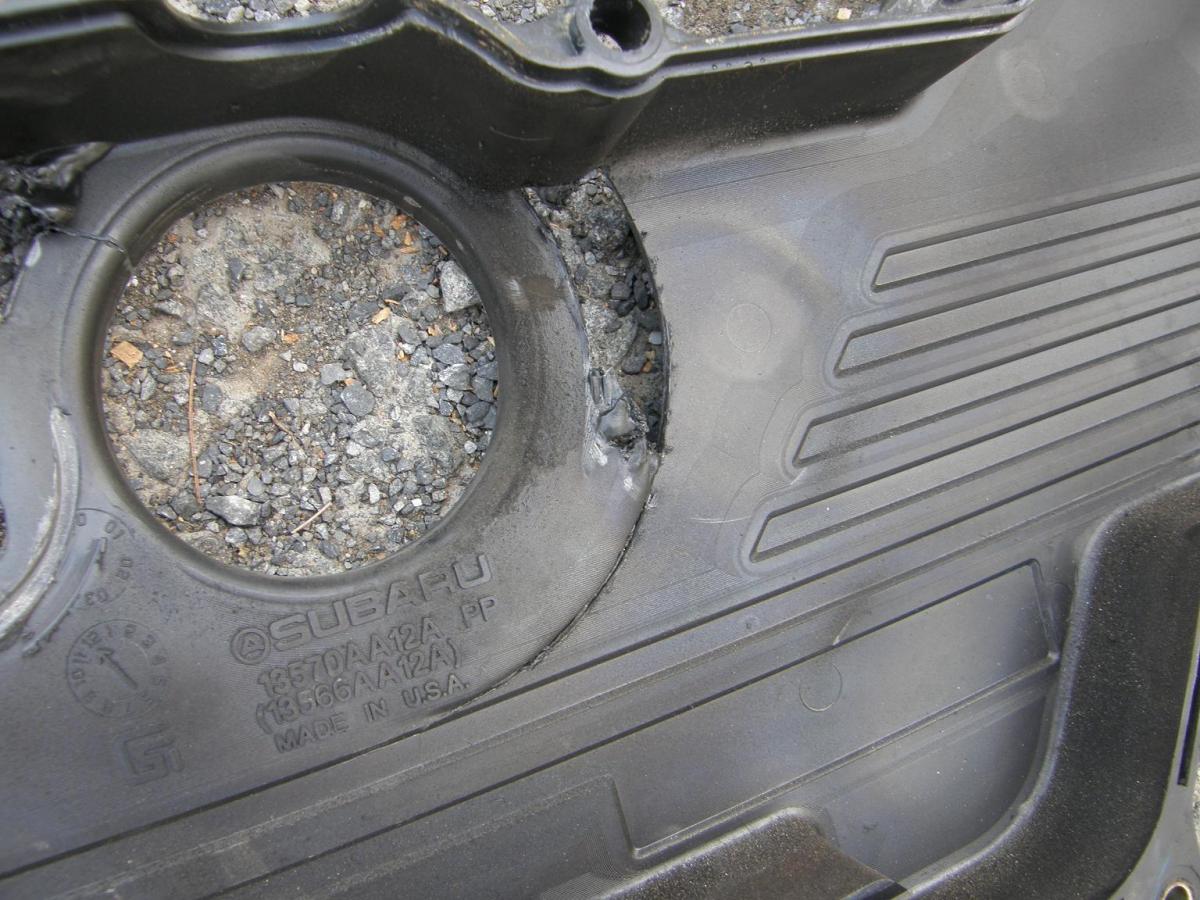
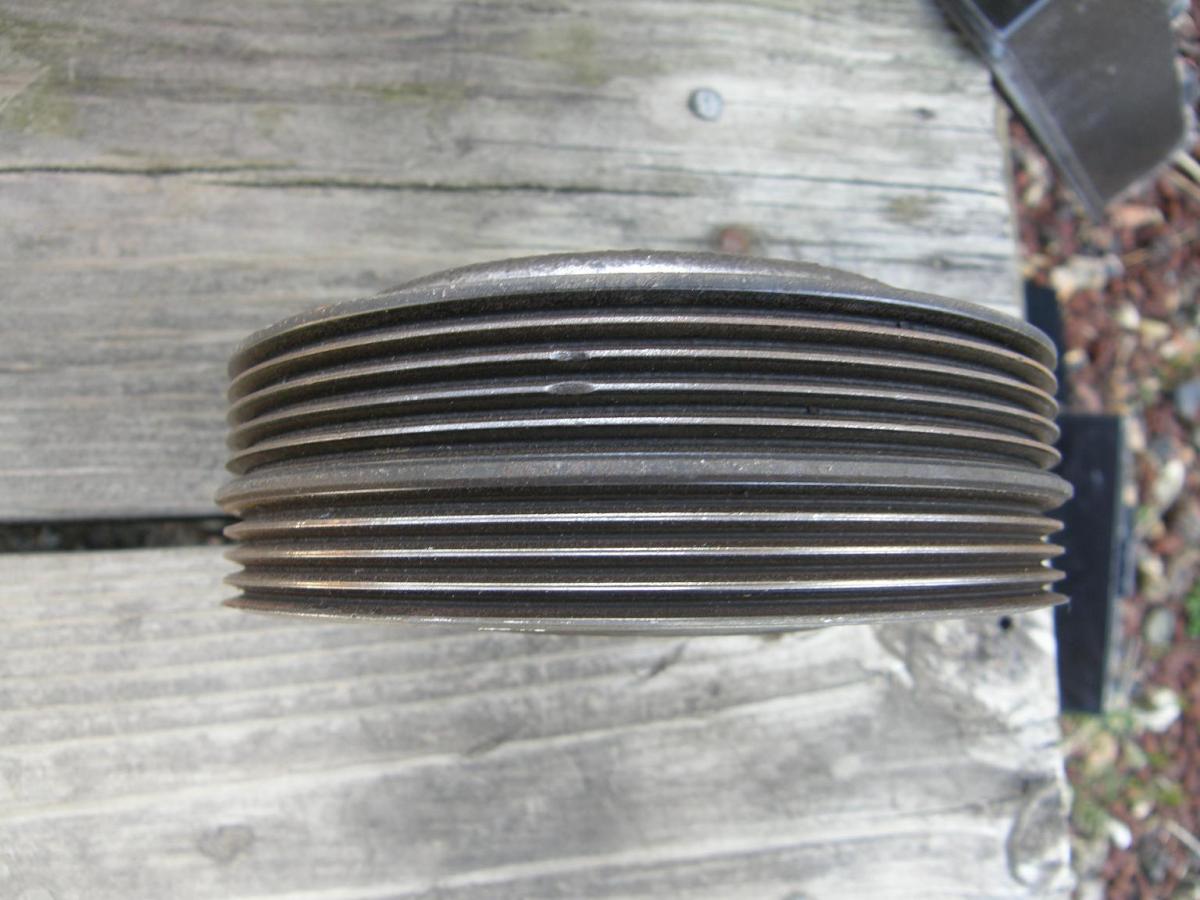
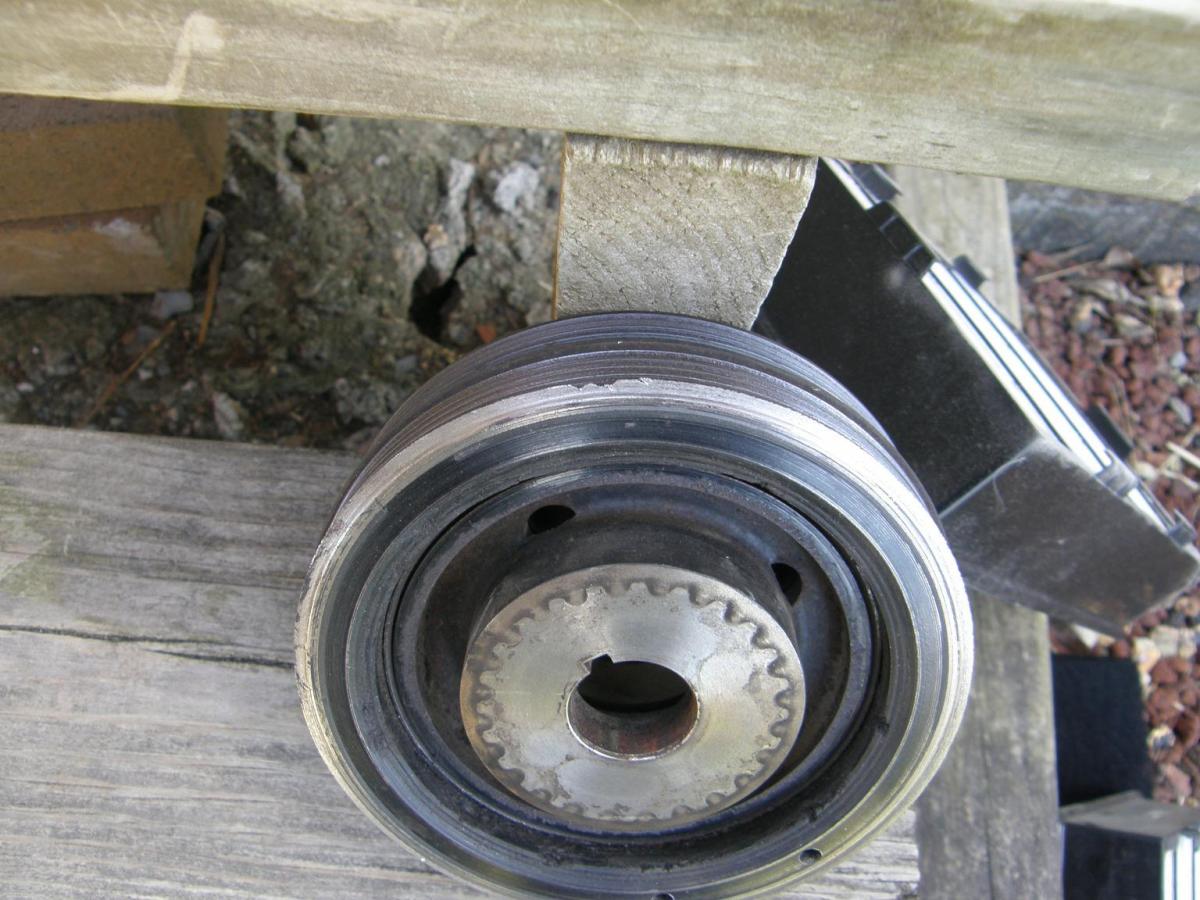
Engine type EJ251AXBWL in a 2002 Outback, the AC belt jumped and was wound up behind the timing belt cover and the crank pulley. Part of the timing belt cover was melted by the crank pulley which was rubbing on the timing belt cover. I removed the crank pulley and the timing belt cover. The timing belt seems to be a good condition with only 40K miles since it was last replaced. The timing belt cover is slightly bubbled near where the crank pulley would be. The crank pulley itself has a couple places where there are tiny notches broken away. My first question is, has anyone seen this before? I am trying to figure out the cause of the AC belt failure. Looking at the Alternator Belt, this belt is well worn with cracking and a couple of missing pieces of splines. Now I am in the process of ordering replacement parts. Besides the Alternator and AC belts, and the timing belt cover, do you think I should replace the timing belt cover gaskets? I could take a file and smooth out the tiny notches in the crank pulley or should I replace it too? Thank you in advance for your comments!