bb1994legacyguy
Members
-
Joined
-
Last visited
Everything posted by bb1994legacyguy
-
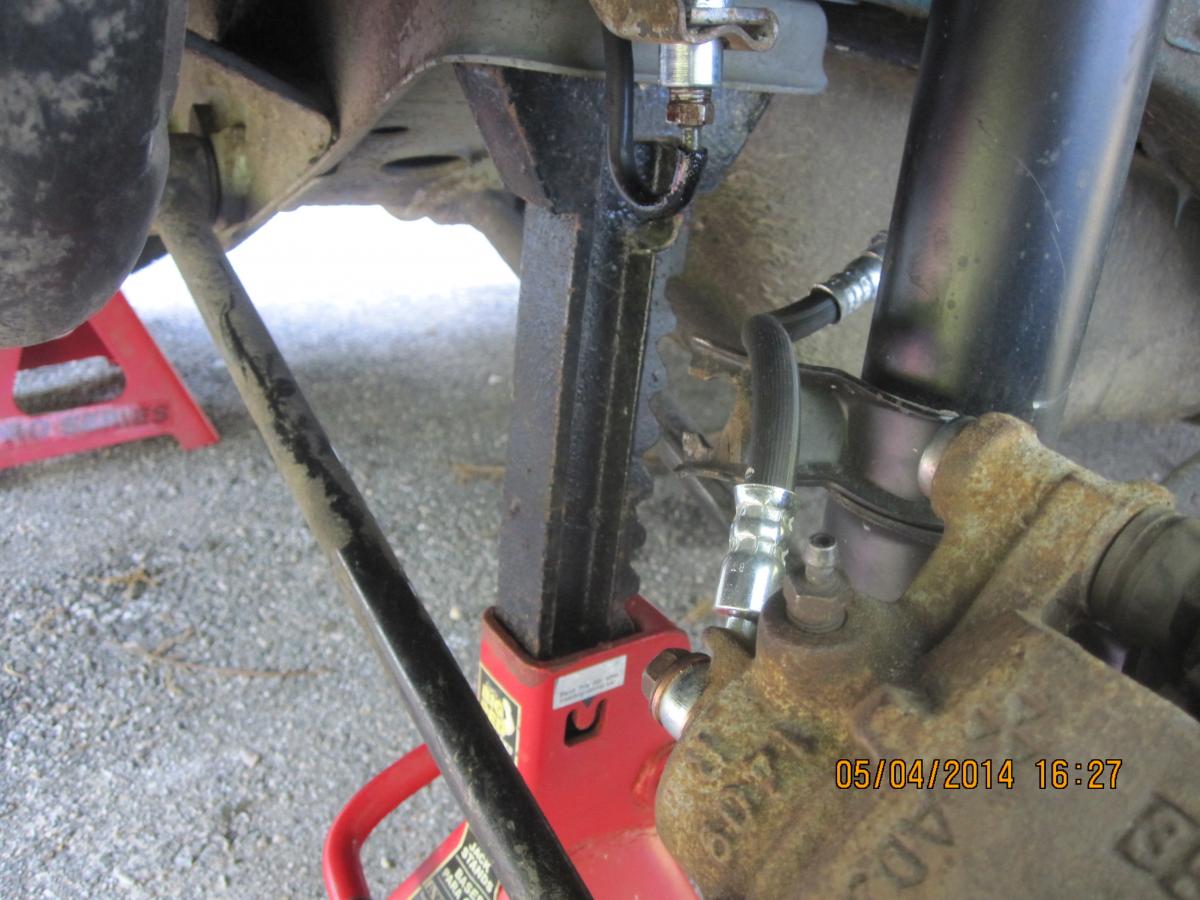
Greetings, I am a first time poster. I put new rear struts on my 94 2wd legacy wagon 5spd in October '13. After installing them I found the NAPA store sold me struts for a '95 that wouldn't work. After getting that straightned out I bought struts from an Advance store. They worked but after a few months a rear brake flexible line blew and luckily I was not in a situation where I had to stop the car in hurry. I found the flexible line on both struts had pulled out of the mount on the strut and that caused one of them to tear after rubbing against something. I am beginning to wonder if I got the struts reversed. They are installed so the mount for the flexible line is towards the rear of the car. If the struts are switched to the other wheel the mount will be on face the front of the car. I thought I checked with the store and got them right. Also the original struts had a enclosed hole for the flexible hose to fit through. The replacement has an open end. Does anyone know if the mount faces the front of the car or the rear when installed? This has been going on for 6 months and is still not straigtened out. Thanks Ben <script charset="UTF-8" src="chrome://hdv/content/hdv.js" type="application/javascript"> </script>