KnpallLegagyGT9298
Members
-
Joined
-
Last visited
-
Im not looking for power out of my car at all its tired, just want some grubles..UEL it is!!! and a muffler...my speakers are all blown anyway haha i rather listen to the sound of my people lol
-
yah i found a kit for like 150 im going to order it next week
-
Im not sure what exhaust to get for my 1998 legacy gt NA....Im pretty sure it has equal length headers, and i want to know if i can put un-equal length headers on it...and where to get it for not too expensive.
-
cant you gap the o2 sensor so it doesnt throw codes? And i just got those abnoxious heat shields off finaly!! I am going to go with just buying a new pipe thanks for your help!!
-
Noted... How exactly will it not run right? Just curious, im not going for performance just want a little noise and too look good. and thanks!
-
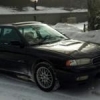
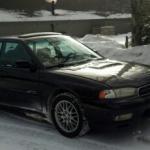
Hey everyone, im super new to forums and such....(not very computer smart) but i need some tips!...I have a 98 legacy GT limited and my heatshields on my headers sound like absolute garbage...i need to pull those off, (shouldnt be too bad with a torch) but im not sure what to do with the exhaust afterwords. SO....punch out the cats to make it sound nice and scoobish? i did that on my brothers Audi and it worked fine... BTW..my legacy is NA and automatic for those who dont know the "limited editions" Any tips would be much appreciated!!