Skip to content
View in the app

A better way to browse. Learn more.

Ultimate Subaru Message Board

A full-screen app on your home screen with push notifications, badges and more.

To install this app on iOS and iPadOS
  1. Tap the Share icon in Safari
  2. Scroll the menu and tap Add to Home Screen.
  3. Tap Add in the top-right corner.
To install this app on Android
  1. Tap the 3-dot menu (⋮) in the top-right corner of the browser.
  2. Tap Add to Home screen or Install app.
  3. Confirm by tapping Install.

Renier

Members
  • Joined

  • Last visited

Everything posted by Renier

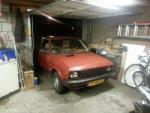
  1. Hey guys, My car's a Zastava Yugo Koral 55A, better known as the Yugo! I'm from the Netherlands and I work at a customshop, as an apprentice, I've been dreaming of building my own car. I'll keep this from being uneccesarily long or filled with facts about the Yugo, basically what I want to do is use the Yugo body in combination with a (probably) 90's Subaru AWD drivetrain. I haven't planned anything yet but I'm seriously contemplating the idea, since I love Yugo's but would love to have it be a real sleeper capable of some serious rally racing and overall street action. Plus being an apprentice at a customshop it's very good I ever do a complete project myself. Thanks, Ren
Account

Navigation

Search

Search

Configure browser push notifications

Chrome (Android)
  1. Tap the lock icon next to the address bar.
  2. Tap Permissions → Notifications.
  3. Adjust your preference.
Chrome (Desktop)
  1. Click the padlock icon in the address bar.
  2. Select Site settings.
  3. Find Notifications and adjust your preference.