Skip to content
View in the app

A better way to browse. Learn more.

Ultimate Subaru Message Board

A full-screen app on your home screen with push notifications, badges and more.

To install this app on iOS and iPadOS
  1. Tap the Share icon in Safari
  2. Scroll the menu and tap Add to Home Screen.
  3. Tap Add in the top-right corner.
To install this app on Android
  1. Tap the 3-dot menu (⋮) in the top-right corner of the browser.
  2. Tap Add to Home screen or Install app.
  3. Confirm by tapping Install.

Metyl Slug

Members
  • Joined

  • Last visited

Everything posted by Metyl Slug

  1. Thanks, Thats awesome. Man, Its got 170k on the clock but it feels like its just getting started. I'm hoping soon I can start doing some simple repairs and modifications. I've got bulbs coming tomorrow to replace a few burned out lights on the shifter and dome.
  2. Actually I got it from a guy up near UWM who moved here from Reno. The car has never seen a winter and had no rust on it anywhere so I was sold. Whats the name of your shop?
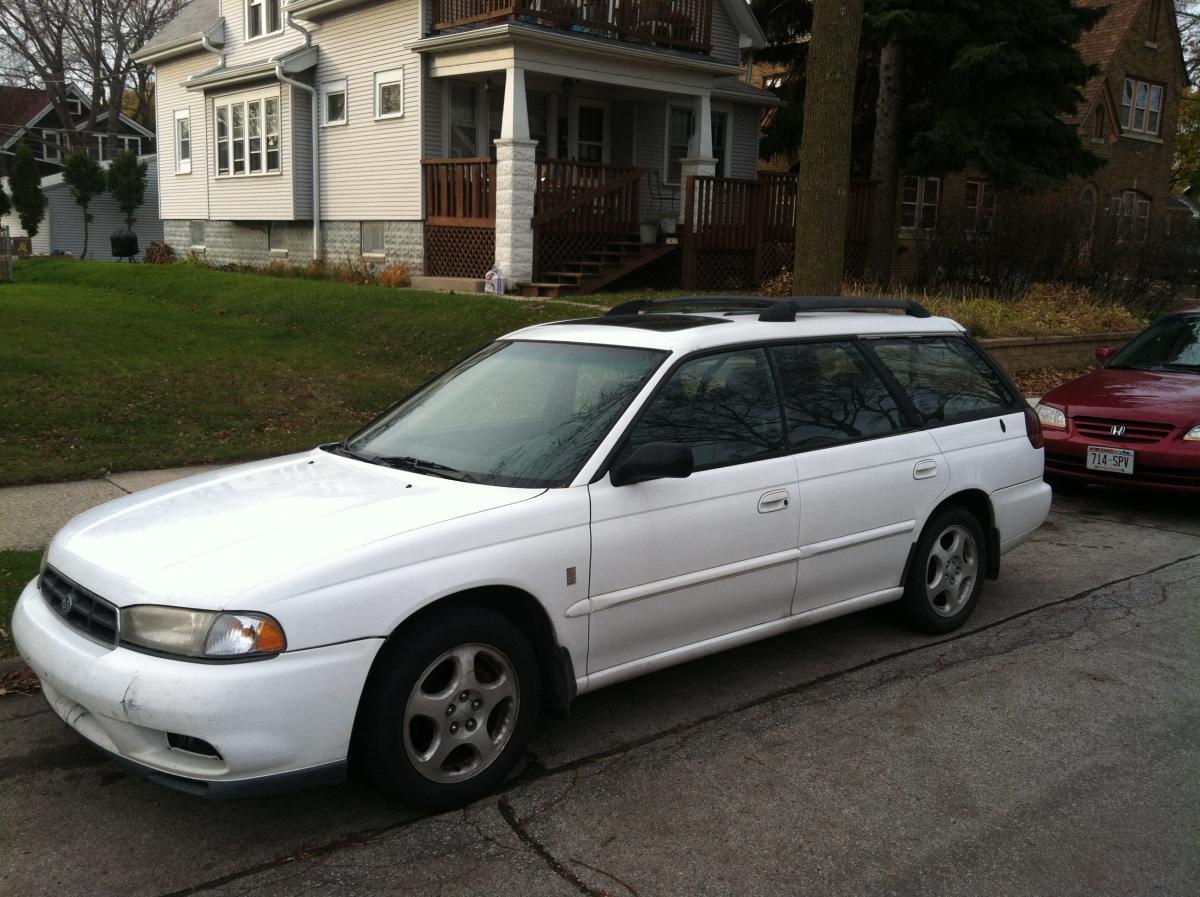
  3. Just bought a 99 subaru legacy L wagon. This is my first subaru, and my first time on a car forum and wanted to say Hi. Had it only for a few days, but its the coolest car I've had. Now I'm ready for the Wisconsin winter. Already have a few ideas for improvemnents, and there are a few things to fix for sure.
Account

Navigation

Search

Search

Configure browser push notifications

Chrome (Android)
  1. Tap the lock icon next to the address bar.
  2. Tap Permissions → Notifications.
  3. Adjust your preference.
Chrome (Desktop)
  1. Click the padlock icon in the address bar.
  2. Select Site settings.
  3. Find Notifications and adjust your preference.