libero1
Members
-
Joined
-
Last visited
-
libero1 replied to libero1's topic in 1990 to Present Legacy, Impreza, Outback, Forester, Baja, WRX&WrxSTI, SVXI will change those parts and see what will happen. Thank you for your time
-
libero1 replied to libero1's topic in 1990 to Present Legacy, Impreza, Outback, Forester, Baja, WRX&WrxSTI, SVXIn service they suspected on the induction coil, they replace it with their induction coil and it give the same parameters. There is no power or spark.
-
libero1 replied to libero1's topic in 1990 to Present Legacy, Impreza, Outback, Forester, Baja, WRX&WrxSTI, SVXNo there is no spark.
-
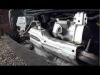
libero1 replied to libero1's topic in 1990 to Present Legacy, Impreza, Outback, Forester, Baja, WRX&WrxSTI, SVXAs i can see none of them. This is my engine
-
libero1 replied to libero1's topic in 1990 to Present Legacy, Impreza, Outback, Forester, Baja, WRX&WrxSTI, SVXYes. Petrol and LPG
-
libero1 replied to libero1's topic in 1990 to Present Legacy, Impreza, Outback, Forester, Baja, WRX&WrxSTI, SVXI think it is mono injection system
-
libero1 replied to libero1's topic in 1990 to Present Legacy, Impreza, Outback, Forester, Baja, WRX&WrxSTI, SVXI left my car in my official service, now i can't start up even it is cold or warm(I couldn't start it at all)
-
libero1 replied to libero1's topic in 1990 to Present Legacy, Impreza, Outback, Forester, Baja, WRX&WrxSTI, SVXCheck engine light is not on, this model doesn't have computer to read the codes.
-
Hi guys, i am new here and i need your help. I have subaru libero 1994. When i am starting it on cold engine it starts normally, then i will drive it and turn it off. When I try to start it up on warm engine it wont start up. Please any help.