Skip to content
View in the app

A better way to browse. Learn more.

Ultimate Subaru Message Board

A full-screen app on your home screen with push notifications, badges and more.

To install this app on iOS and iPadOS
  1. Tap the Share icon in Safari
  2. Scroll the menu and tap Add to Home Screen.
  3. Tap Add in the top-right corner.
To install this app on Android
  1. Tap the 3-dot menu (⋮) in the top-right corner of the browser.
  2. Tap Add to Home screen or Install app.
  3. Confirm by tapping Install.

Esa

Members
  • Joined

  • Last visited

Everything posted by Esa

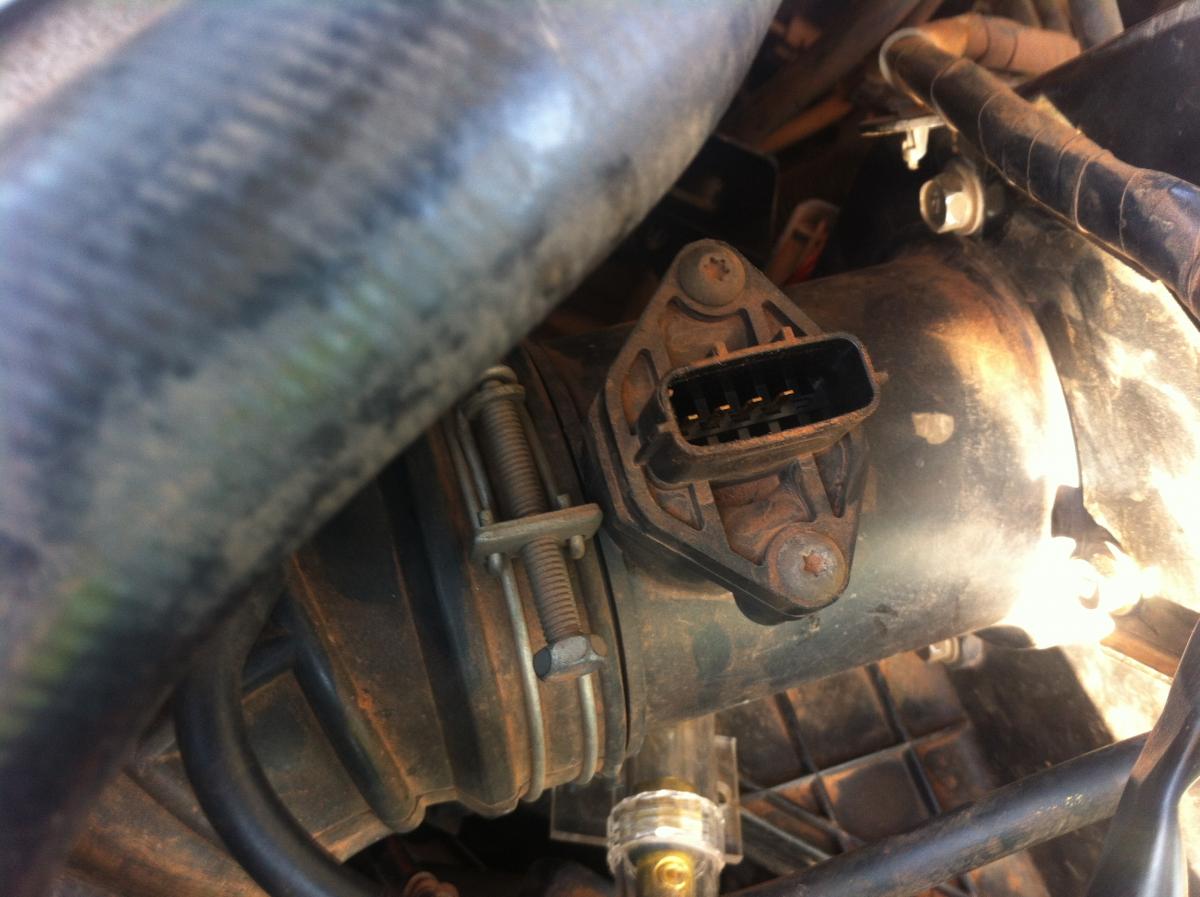
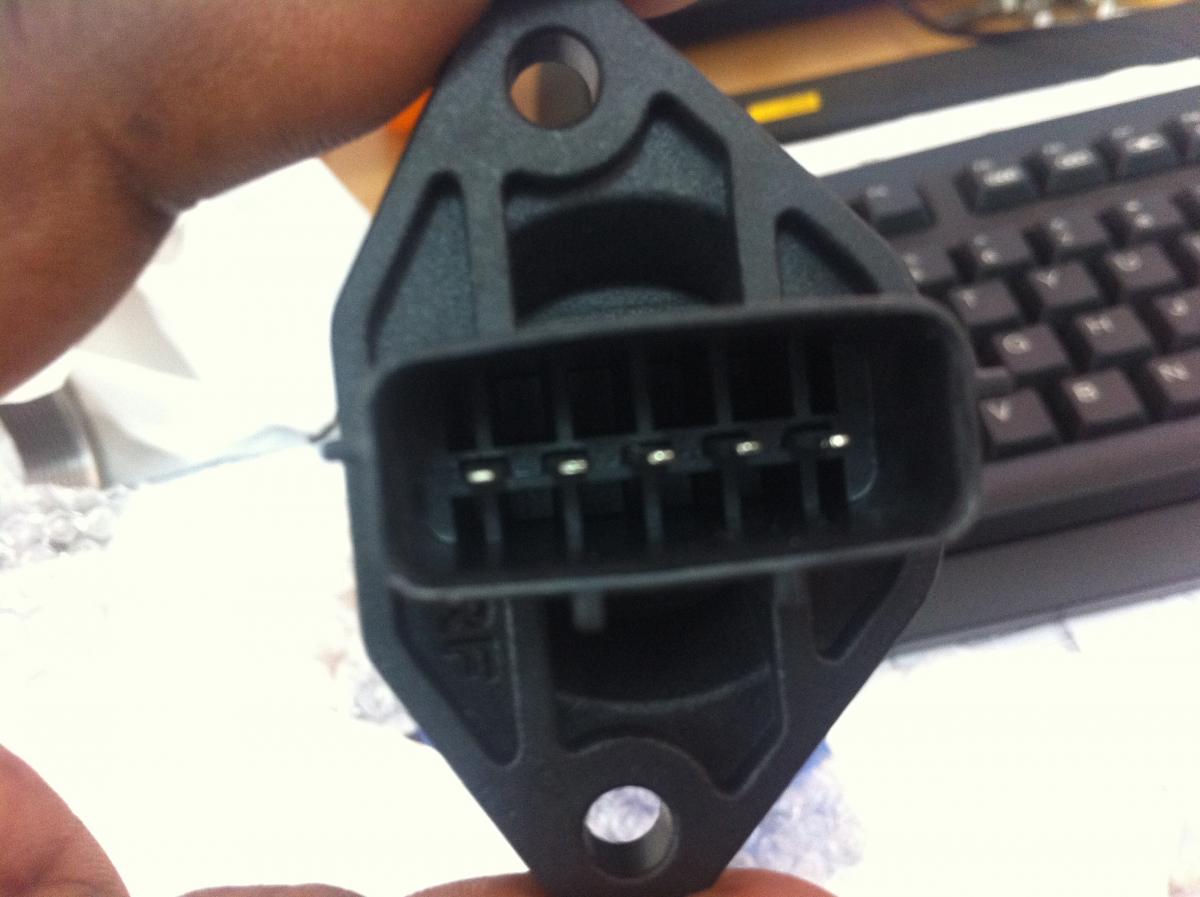
  1. Hi I have a Legacy B4 which has a problem with the MAP and I recently ordered a new one but unfortunately the sent me a wrong one but they said a 5pin airflow sensor can work if connected to the 4pin adapter, can someone help me with how this can work? When i connected the 5pin air flow it sure worked but the vehicle couldn't manage to stay at idle, its cutting even at traffic lights???? Attached are photos of they are different. Help me..
Account

Navigation

Search

Search

Configure browser push notifications

Chrome (Android)
  1. Tap the lock icon next to the address bar.
  2. Tap Permissions → Notifications.
  3. Adjust your preference.
Chrome (Desktop)
  1. Click the padlock icon in the address bar.
  2. Select Site settings.
  3. Find Notifications and adjust your preference.