Skip to content
View in the app

A better way to browse. Learn more.

Ultimate Subaru Message Board

A full-screen app on your home screen with push notifications, badges and more.

To install this app on iOS and iPadOS
  1. Tap the Share icon in Safari
  2. Scroll the menu and tap Add to Home Screen.
  3. Tap Add in the top-right corner.
To install this app on Android
  1. Tap the 3-dot menu (⋮) in the top-right corner of the browser.
  2. Tap Add to Home screen or Install app.
  3. Confirm by tapping Install.

SkimmerBob

Members
  • Joined

  • Last visited

Everything posted by SkimmerBob

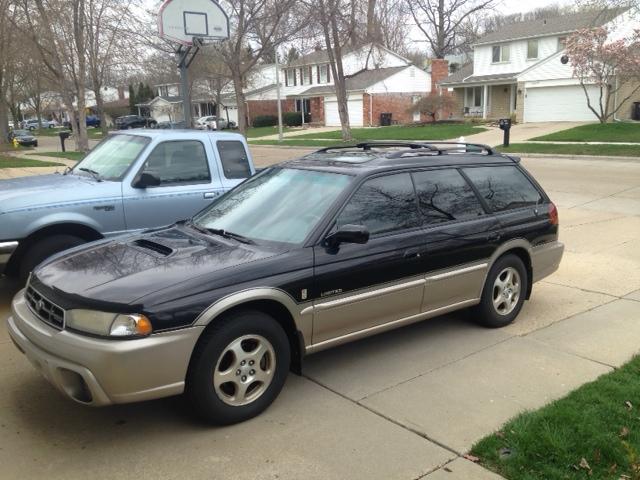
  1. My son wanted an Outback, which was very hard for me growwing up in an American Auto Workers house and living here in the Detroit suburbs ,so the wife worked on me for a few months and I softened. I did quite a bit of research on these and it took awhile but I was finally able to buy a decesnt one. Its a 99 Outback , looks like a soccer mom car to me , but if he's happy i'm happy.I hope it lives up to their reputation. I consider myself a car guy and an open minded person, so we will see. So far I've bought cv shafts for the front and the Wwiper shaft came off the ww motor(pretty easy fix).
Account

Navigation

Search

Search

Configure browser push notifications

Chrome (Android)
  1. Tap the lock icon next to the address bar.
  2. Tap Permissions → Notifications.
  3. Adjust your preference.
Chrome (Desktop)
  1. Click the padlock icon in the address bar.
  2. Select Site settings.
  3. Find Notifications and adjust your preference.