Skip to content
View in the app

A better way to browse. Learn more.

Ultimate Subaru Message Board

A full-screen app on your home screen with push notifications, badges and more.

To install this app on iOS and iPadOS
  1. Tap the Share icon in Safari
  2. Scroll the menu and tap Add to Home Screen.
  3. Tap Add in the top-right corner.
To install this app on Android
  1. Tap the 3-dot menu (⋮) in the top-right corner of the browser.
  2. Tap Add to Home screen or Install app.
  3. Confirm by tapping Install.

jtryban

Members
  • Joined

  • Last visited

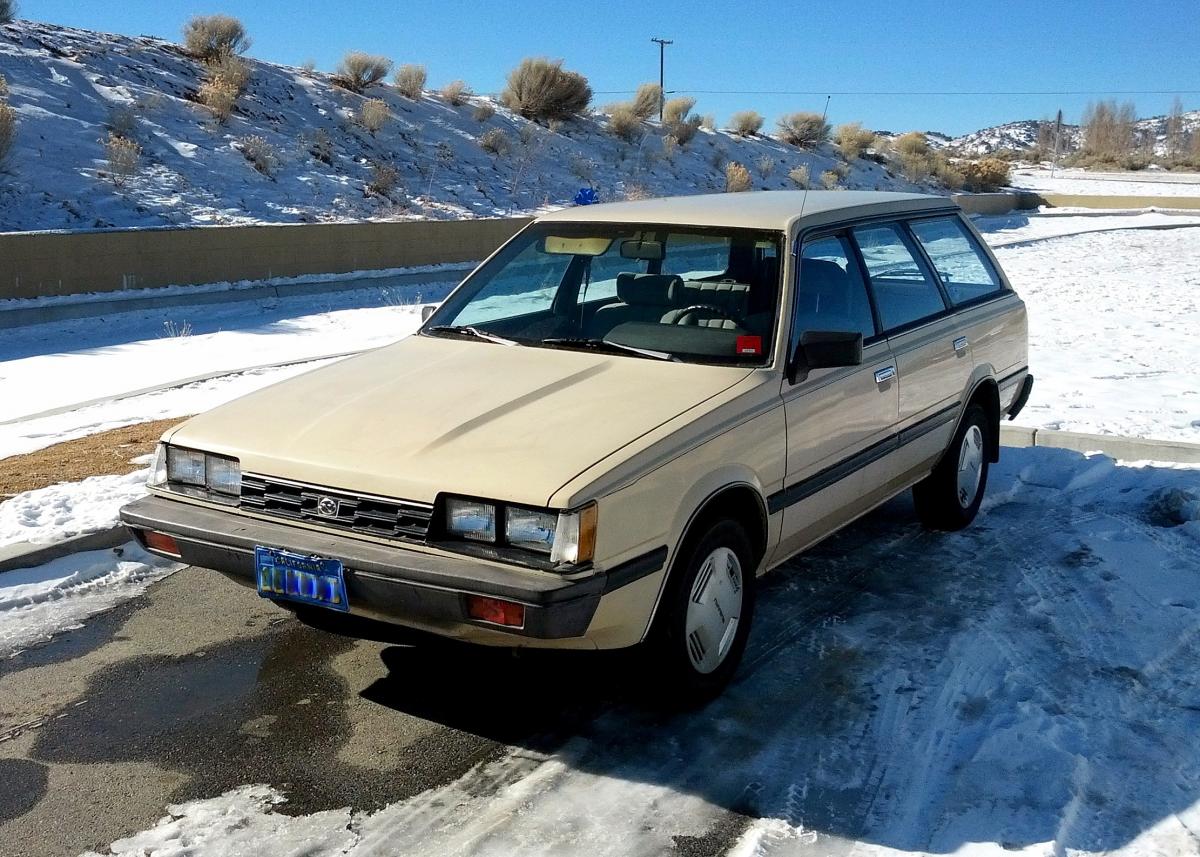
  1. Greetings from the southern Sierra mountain in California. I bought my '85 Suby from an elderly gentleman for $400. Since then, it's been down muddy mountain trails, through streams, and passing brand new cars in blizzards. I've never seen a model like mine, with 4 headlights, so i'm not sure if it's been modified or is just a rare make. It still passes CA strict smog laws, and has only needed an engine head replacement 8 years ago for major fixes. I still amaze people with the spare tire sitting on top of the engine, and 4wd on-call buttton.
Account

Navigation

Search

Search

Configure browser push notifications

Chrome (Android)
  1. Tap the lock icon next to the address bar.
  2. Tap Permissions → Notifications.
  3. Adjust your preference.
Chrome (Desktop)
  1. Click the padlock icon in the address bar.
  2. Select Site settings.
  3. Find Notifications and adjust your preference.