Skip to content
View in the app

A better way to browse. Learn more.

Ultimate Subaru Message Board

A full-screen app on your home screen with push notifications, badges and more.

To install this app on iOS and iPadOS
  1. Tap the Share icon in Safari
  2. Scroll the menu and tap Add to Home Screen.
  3. Tap Add in the top-right corner.
To install this app on Android
  1. Tap the 3-dot menu (⋮) in the top-right corner of the browser.
  2. Tap Add to Home screen or Install app.
  3. Confirm by tapping Install.

shellshe

Members
  • Joined

  • Last visited

Everything posted by shellshe

  1. Thanks! I'm goin to get some stuff today.. Hopefully the weather will hold out
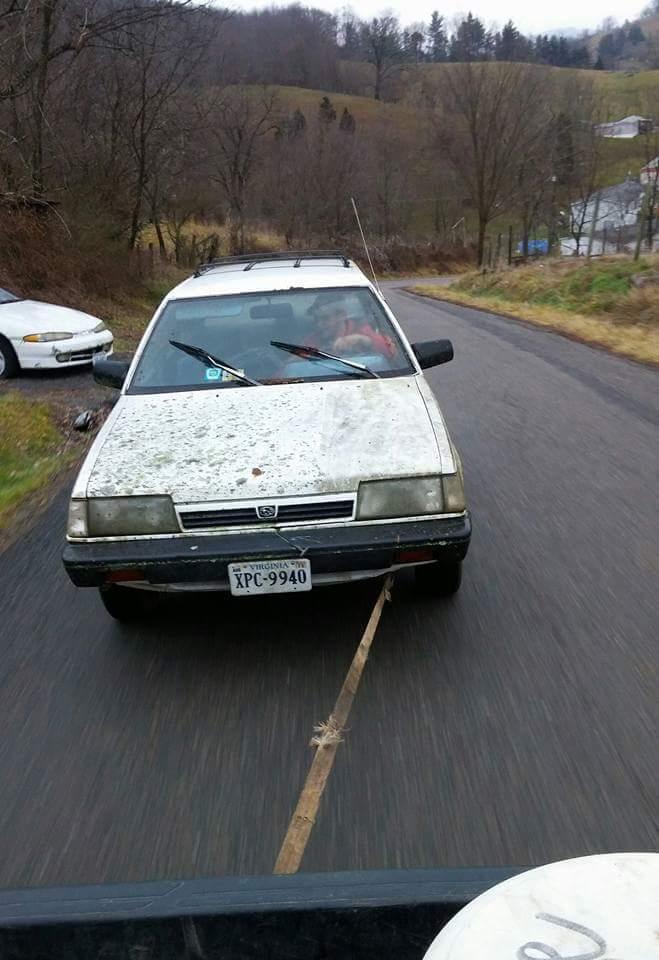
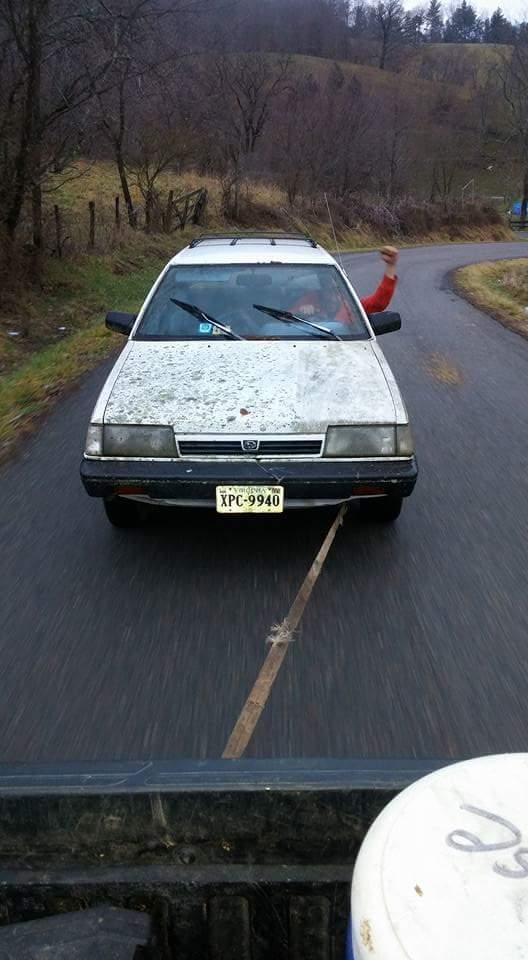
  2. Just towed her home Wednesday! Got her for a load of wood! Score! Hahaha! It has been sitting for 4 yrs but turned over and ran for bout 3 sec. Think it sucked some gunk into the fuel filter or fuel pump. Going to do a tune up (oil, filters, try and get old gas out of the tank, spark plugs and wires,etc) what should I try and replace first beside the above before I try and turn it over again? I'm new to Subarus!
Account

Navigation

Search

Search

Configure browser push notifications

Chrome (Android)
  1. Tap the lock icon next to the address bar.
  2. Tap Permissions → Notifications.
  3. Adjust your preference.
Chrome (Desktop)
  1. Click the padlock icon in the address bar.
  2. Select Site settings.
  3. Find Notifications and adjust your preference.