


Skip to content
View in the app

A better way to browse. Learn more.

Ultimate Subaru Message Board

A full-screen app on your home screen with push notifications, badges and more.

To install this app on iOS and iPadOS
  1. Tap the Share icon in Safari
  2. Scroll the menu and tap Add to Home Screen.
  3. Tap Add in the top-right corner.
To install this app on Android
  1. Tap the 3-dot menu (⋮) in the top-right corner of the browser.
  2. Tap Add to Home screen or Install app.
  3. Confirm by tapping Install.

romakrechet

Members
  • Joined

  • Last visited

Everything posted by romakrechet

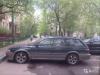
  1. Hi, everybody. I from that part of Russia where am a little dear, it is a lot of dirt, it is a lot of hunters and fishermen. To Subaru I went by the car UAZ, but it is very rigid frame cold SUV, and at me 2 small children and to them very much are not comfortable in UAZ. It has been decided to buy the car kofortny, but without loss of passability and surely the station wagon. So I had had BG9)) there Will be a lifting, mud wheels, a luggage carrier and power a bumper)) has found on you tube above departures and has caught) accept in your ranks. I apologize for my English...)

Account

Navigation

Search

Search

Configure browser push notifications

Chrome (Android)
  1. Tap the lock icon next to the address bar.
  2. Tap Permissions → Notifications.
  3. Adjust your preference.
Chrome (Desktop)
  1. Click the padlock icon in the address bar.
  2. Select Site settings.
  3. Find Notifications and adjust your preference.
