Skip to content
View in the app

A better way to browse. Learn more.

Ultimate Subaru Message Board

A full-screen app on your home screen with push notifications, badges and more.

To install this app on iOS and iPadOS
  1. Tap the Share icon in Safari
  2. Scroll the menu and tap Add to Home Screen.
  3. Tap Add in the top-right corner.
To install this app on Android
  1. Tap the 3-dot menu (⋮) in the top-right corner of the browser.
  2. Tap Add to Home screen or Install app.
  3. Confirm by tapping Install.

DaBopps

Members
  • Joined

  • Last visited

Everything posted by DaBopps

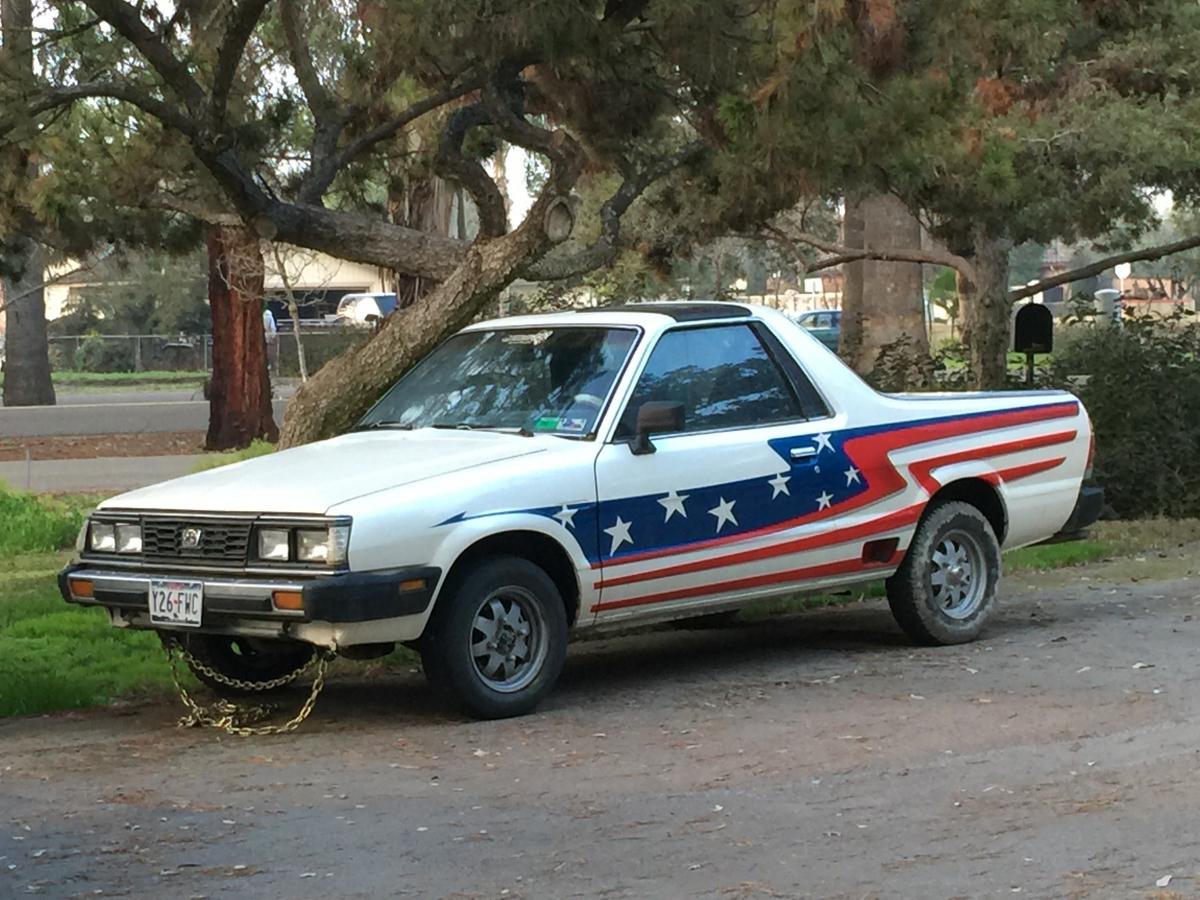
  1. Hello, we are new here but have had brats forever. We have a 1985 gen 2 that we are converting. Just bought a 1986 Gl hatchback 5sp manual with turbo that we want to pull and rebuild for the brat. We live in Fresno (Central) California and are having trouble finding a shop we trust to do our rebuild work. Quality is very important to us. We can ship it out if necessary to get the job done. Who do you recommend for a top notch job for a project like this one?
Account

Navigation

Search

Search

Configure browser push notifications

Chrome (Android)
  1. Tap the lock icon next to the address bar.
  2. Tap Permissions → Notifications.
  3. Adjust your preference.
Chrome (Desktop)
  1. Click the padlock icon in the address bar.
  2. Select Site settings.
  3. Find Notifications and adjust your preference.