alykat
Members
-
Joined
-
Last visited
Everything posted by alykat
-
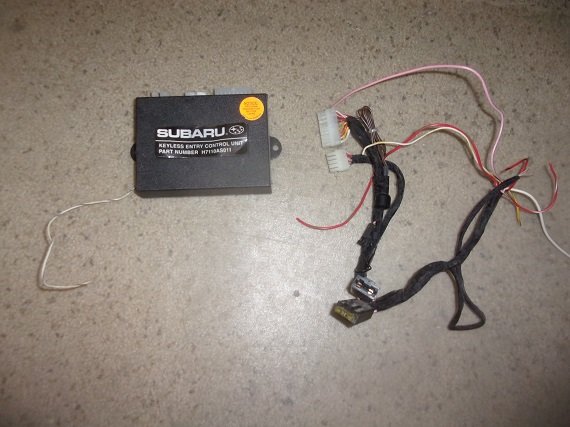
alykat replied to alykat's topic in 1990 to Present Legacy, Impreza, Outback, Forester, Baja, WRX&WrxSTI, SVXTurned out to be a faulty dealer installed keyless entry / anti theft system. Once I disconnected it and reconnected the cut and patched in wires in the original wiring, it starts and runs great.
-
alykat replied to alykat's topic in 1990 to Present Legacy, Impreza, Outback, Forester, Baja, WRX&WrxSTI, SVXWell the hose was connected and clamps tight. Also tried cleaning the slightly crappy Idle air unit and checked the gasket which was good. Still acting the same way. I think I saw a reference some place about an anti theft system that might act like this ? I don't have an owners manual, so don't know if the car is equipped with one.
-
alykat replied to alykat's topic in 1990 to Present Legacy, Impreza, Outback, Forester, Baja, WRX&WrxSTI, SVXYes, I believe the air filter had just been replaced .
-
97 Legacy Outback 2.5 Starts instantly runs several seconds,and dies. Key is still on, turn it starts instantly runs a few seconds and dies..repeat. Already replaced the fuel pump and filter. Ideas ?
-
97 Legacy Outback 2.5 Starts instantly runs several seconds,and dies. Key is still on, turn it starts instantly runs a few seconds and dies..repeat. Already replaced the fuel pump and filter. Ideas ?