Skip to content
View in the app

A better way to browse. Learn more.

Ultimate Subaru Message Board

A full-screen app on your home screen with push notifications, badges and more.

To install this app on iOS and iPadOS
  1. Tap the Share icon in Safari
  2. Scroll the menu and tap Add to Home Screen.
  3. Tap Add in the top-right corner.
To install this app on Android
  1. Tap the 3-dot menu (⋮) in the top-right corner of the browser.
  2. Tap Add to Home screen or Install app.
  3. Confirm by tapping Install.

Outwardbound

Members
  • Joined

  • Last visited

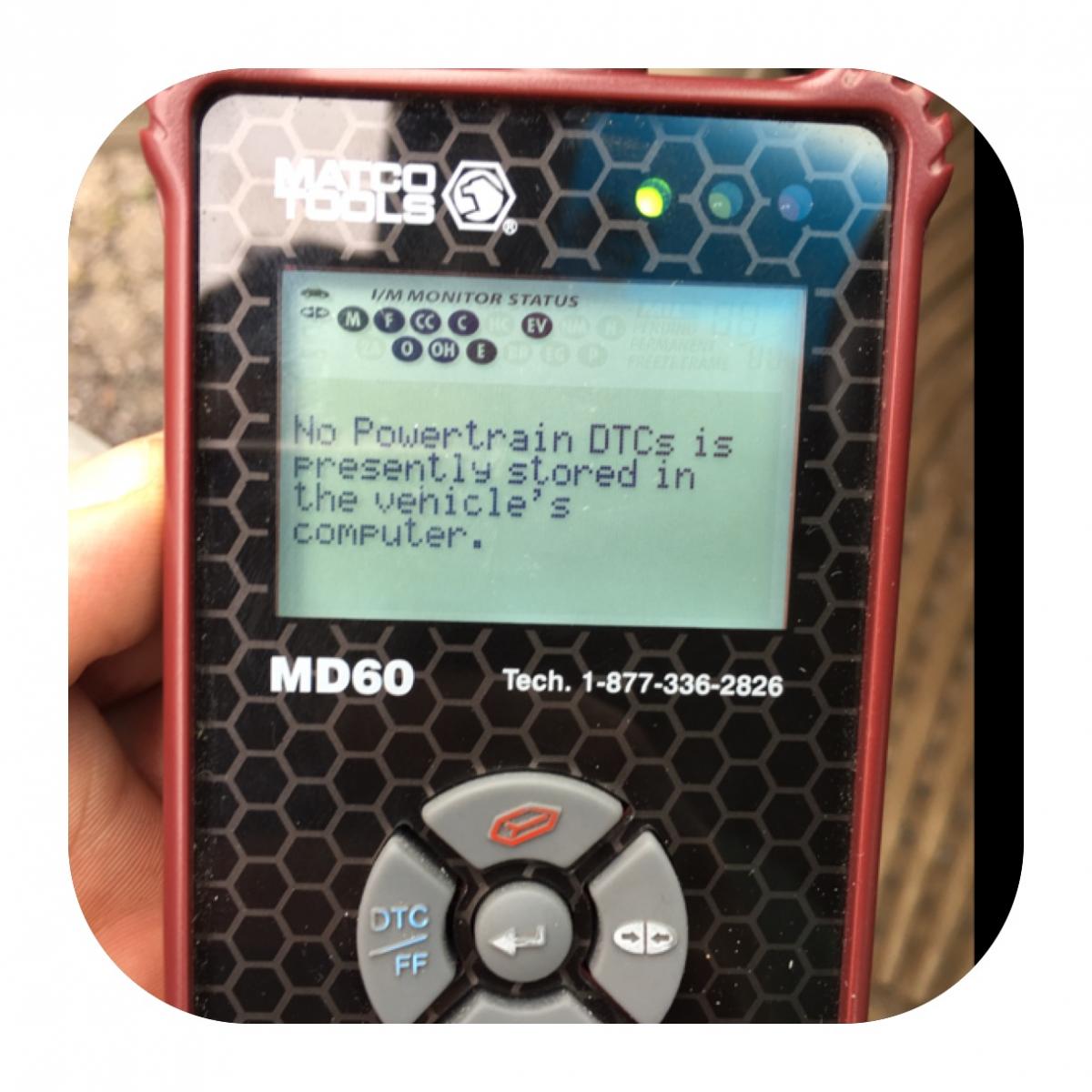
  1. My son is away at college with his 2008 Outback. While he was driving, he made a turn onto a side street and he said he lost the power stering and it felt like both brake and gas peddles were stuck. The car was then idioling rough and he pulled over and turned it off. He restarted it and went back home. He put a OBD readers need and got a message "No Power Train". DCS unattached. There are no warning lights on and the code went away. Any help on what this may be would be greatly appreciated.
Account

Navigation

Search

Search

Configure browser push notifications

Chrome (Android)
  1. Tap the lock icon next to the address bar.
  2. Tap Permissions → Notifications.
  3. Adjust your preference.
Chrome (Desktop)
  1. Click the padlock icon in the address bar.
  2. Select Site settings.
  3. Find Notifications and adjust your preference.