Skip to content
View in the app

A better way to browse. Learn more.

Ultimate Subaru Message Board

A full-screen app on your home screen with push notifications, badges and more.

To install this app on iOS and iPadOS
  1. Tap the Share icon in Safari
  2. Scroll the menu and tap Add to Home Screen.
  3. Tap Add in the top-right corner.
To install this app on Android
  1. Tap the 3-dot menu (⋮) in the top-right corner of the browser.
  2. Tap Add to Home screen or Install app.
  3. Confirm by tapping Install.

loonguy7

Members
  • Joined

  • Last visited

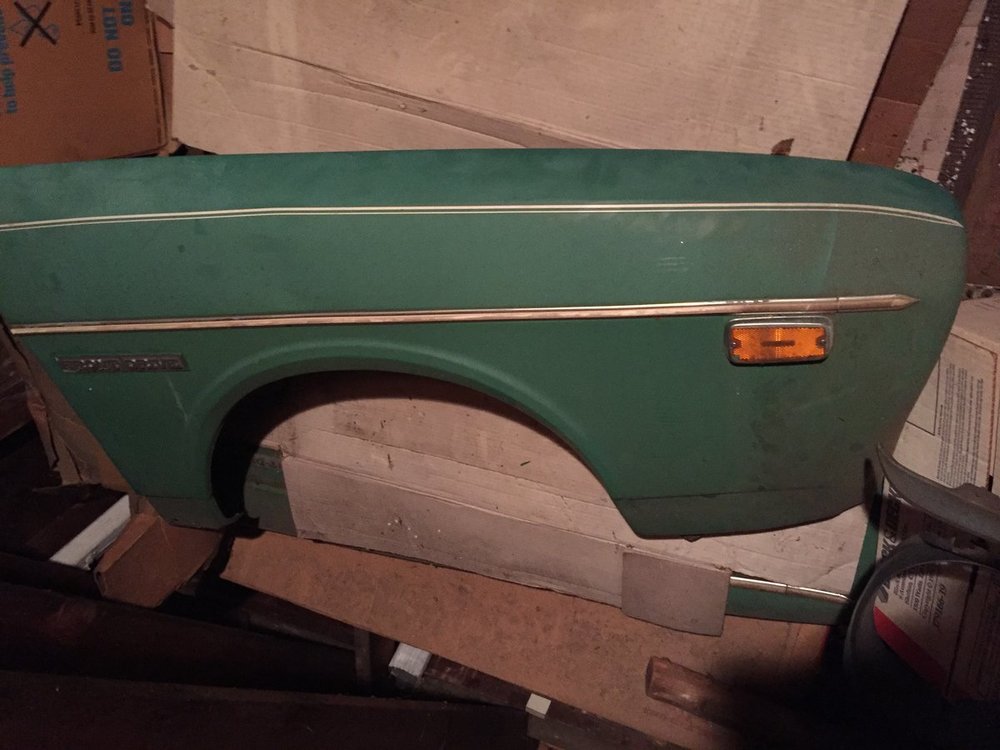
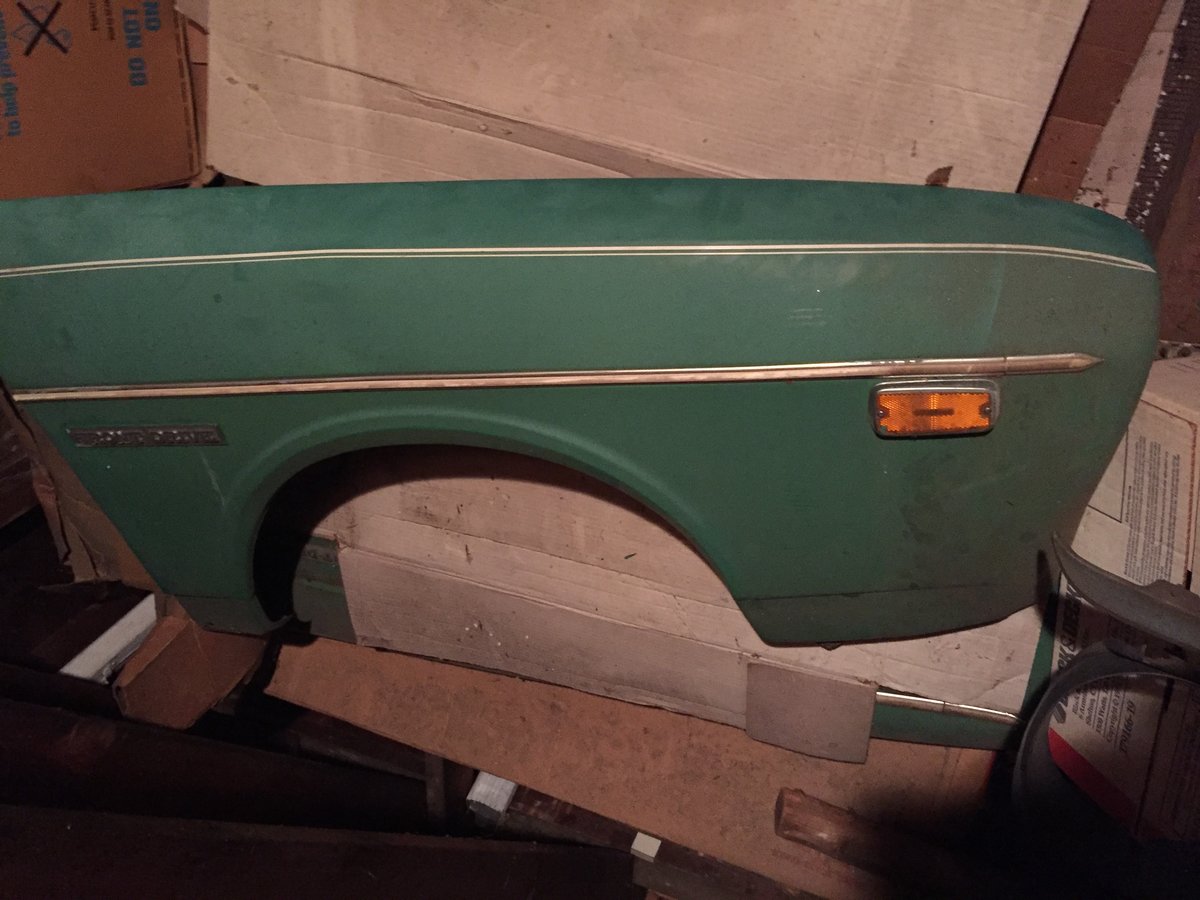
  1. Have a set of 1400 DL Fenders that I would like to pass on to an owner who could put them to use. No dents, no rust. Pretty immaculate. Very rare parts, never used them on my own car. Could easily be repainted and used for any restoration project. Located in Connecticut, local pickup if if works for you, if not we can figure out shipping. Asking $150 for the set. Open to offers, need them gone. Thanks
Account

Navigation

Search

Search

Configure browser push notifications

Chrome (Android)
  1. Tap the lock icon next to the address bar.
  2. Tap Permissions → Notifications.
  3. Adjust your preference.
Chrome (Desktop)
  1. Click the padlock icon in the address bar.
  2. Select Site settings.
  3. Find Notifications and adjust your preference.