LIGL
Members
-
Joined
-
Last visited
-
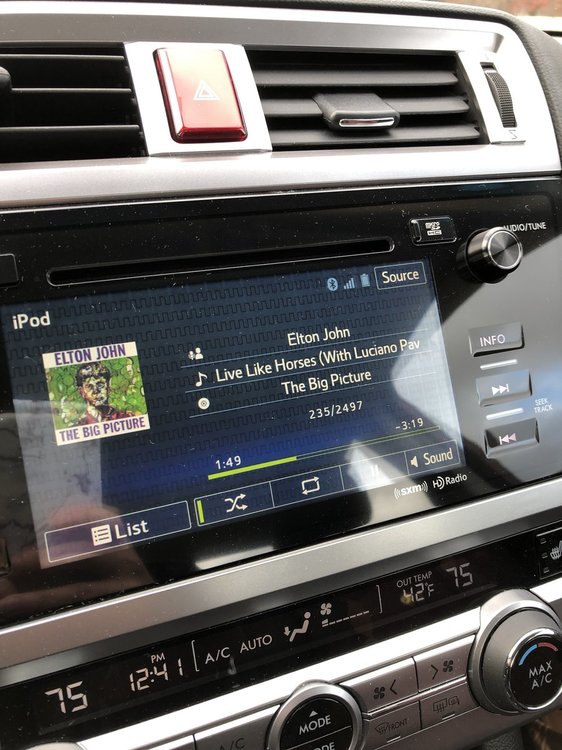
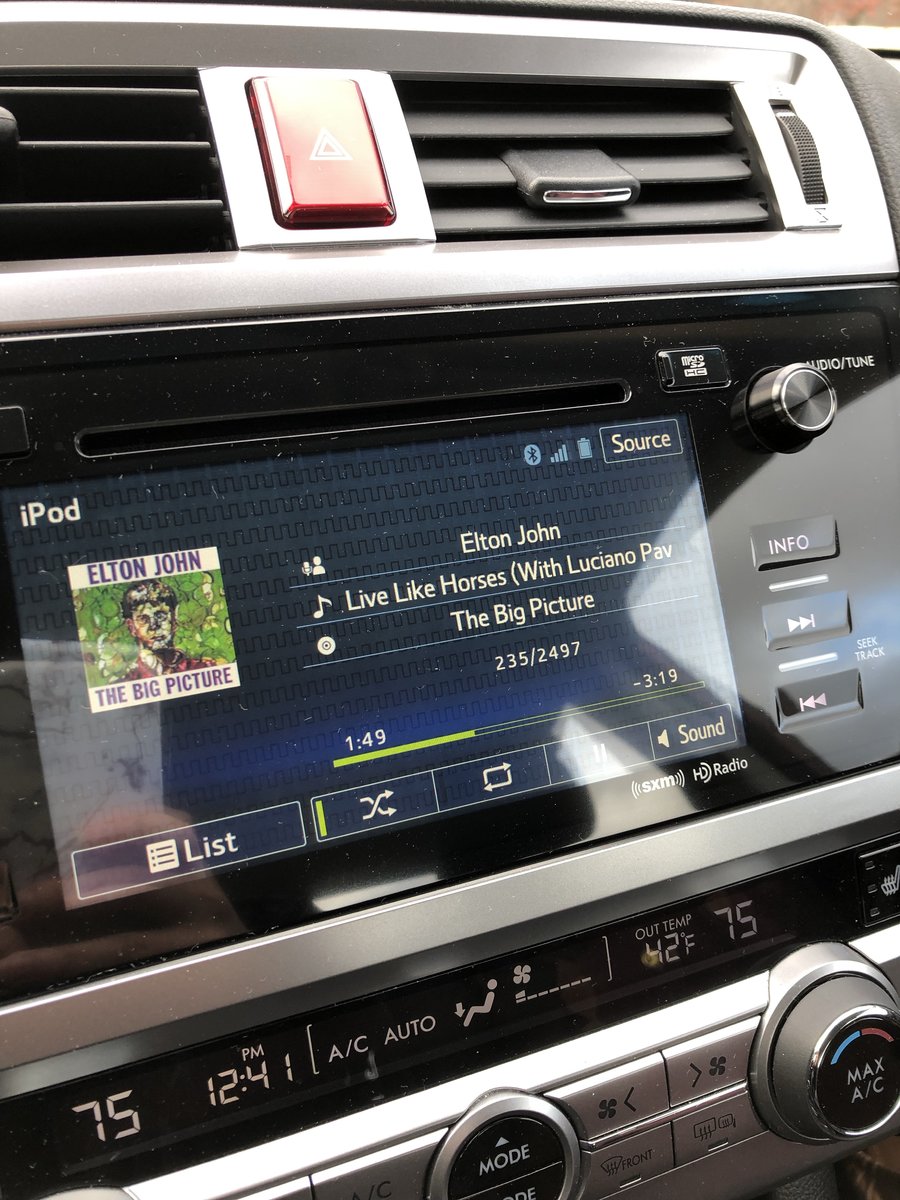
LIGL replied to LIGL's topic in 1990 to Present Legacy, Impreza, Outback, Forester, Baja, WRX&WrxSTI, SVXUpdate: i just brought the car in today and they said no issues and that every car (even the new ones on the lot) has the lines. It's on the screen. No offer to replace anything at all. I asked them to put notes in my file so that when i go to return the car next April, there won't be an issue. Think that'll suffice? It's annoying that i have to look at it everyday and i'm positive it was never like this before...
-
Hi All, I have a 2016 Legacy LEASE with 32,500 miles. I just brought it back from NJ to MA for the winter and noticed these black, zig zag, jigsaw-like marks across the navigation screen (see picture). It is a lot more noticeable under the sunlight. Has anyone experienced this in their Subaru? I really don't believe they were there before and they're not only annoying, but it also makes me worried that Subaru will say i broke the screen when i go to return it next spring... Advice would be greatly appreciated! Thanks, Angela