Skip to content
View in the app

A better way to browse. Learn more.

Ultimate Subaru Message Board

A full-screen app on your home screen with push notifications, badges and more.

To install this app on iOS and iPadOS
  1. Tap the Share icon in Safari
  2. Scroll the menu and tap Add to Home Screen.
  3. Tap Add in the top-right corner.
To install this app on Android
  1. Tap the 3-dot menu (⋮) in the top-right corner of the browser.
  2. Tap Add to Home screen or Install app.
  3. Confirm by tapping Install.

Rooster47

Members
  • Joined

  • Last visited

  1. That is good to know. Thanks. I DD an old 70's Toyota FJ40. Parts are easy to get, and Toyota even announced recently they are bringing some more parts back into production. Guess I was hoping a newer Subaru would have fine parts availability.
  2. You're making me more determined than ever. I'm going to get started planning my cross country route for my first drive in it.
  3. What problem are you referring to?
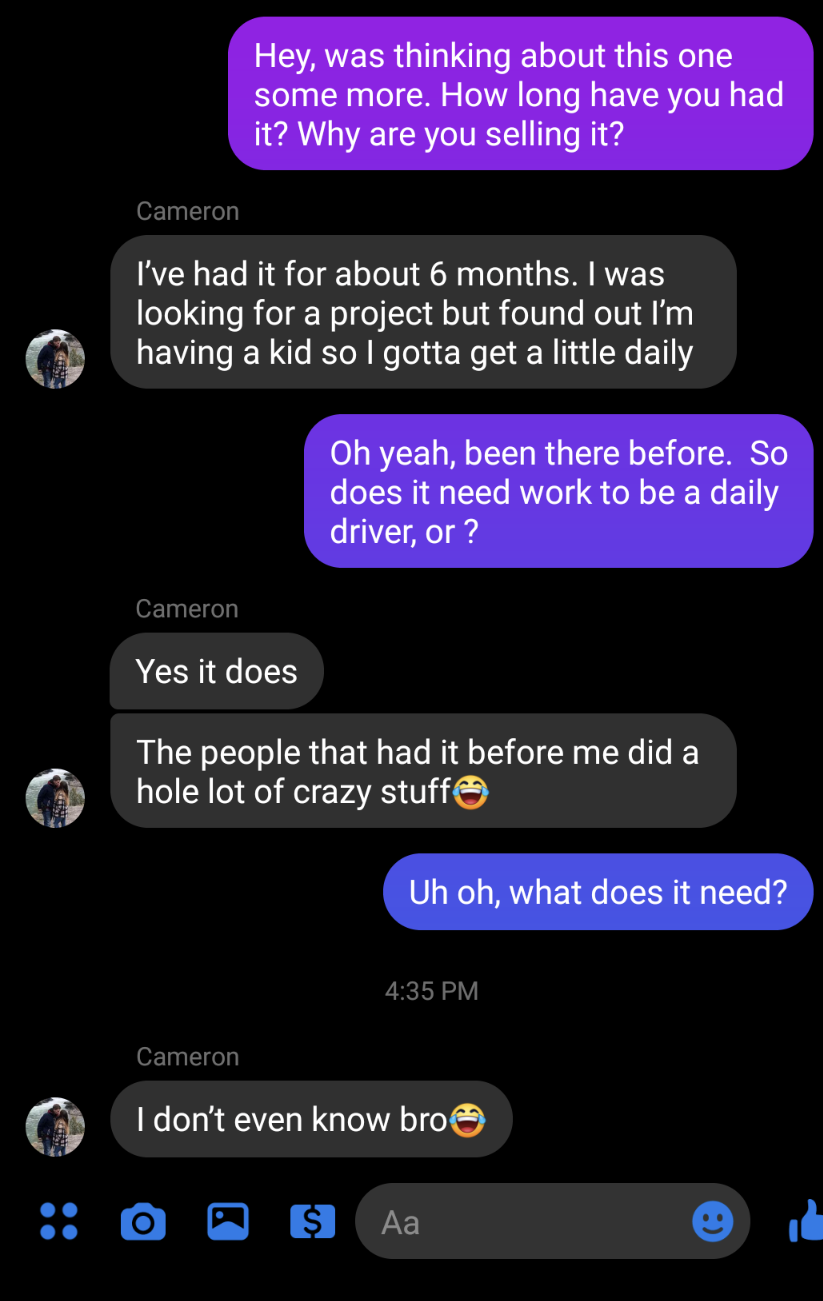
  4. Thanks all! Turns out it was a GL Hatch, not a Justy as advertised. I was still really interested in it, but the seller didn't really do a good job of selling me on it:
  5. Rooster47 joined the community
  6. I am looking at purchasing this Justy, but this isn't the sideways mounted inline 3 Cylinder that I was expecting... Has this been swapped? What is it? Thanks

Account

Navigation

Search

Search

Configure browser push notifications

Chrome (Android)
  1. Tap the lock icon next to the address bar.
  2. Tap Permissions → Notifications.
  3. Adjust your preference.
Chrome (Desktop)
  1. Click the padlock icon in the address bar.
  2. Select Site settings.
  3. Find Notifications and adjust your preference.