

Skyman207
Members
-
Joined
-
Last visited
Everything posted by Skyman207
-
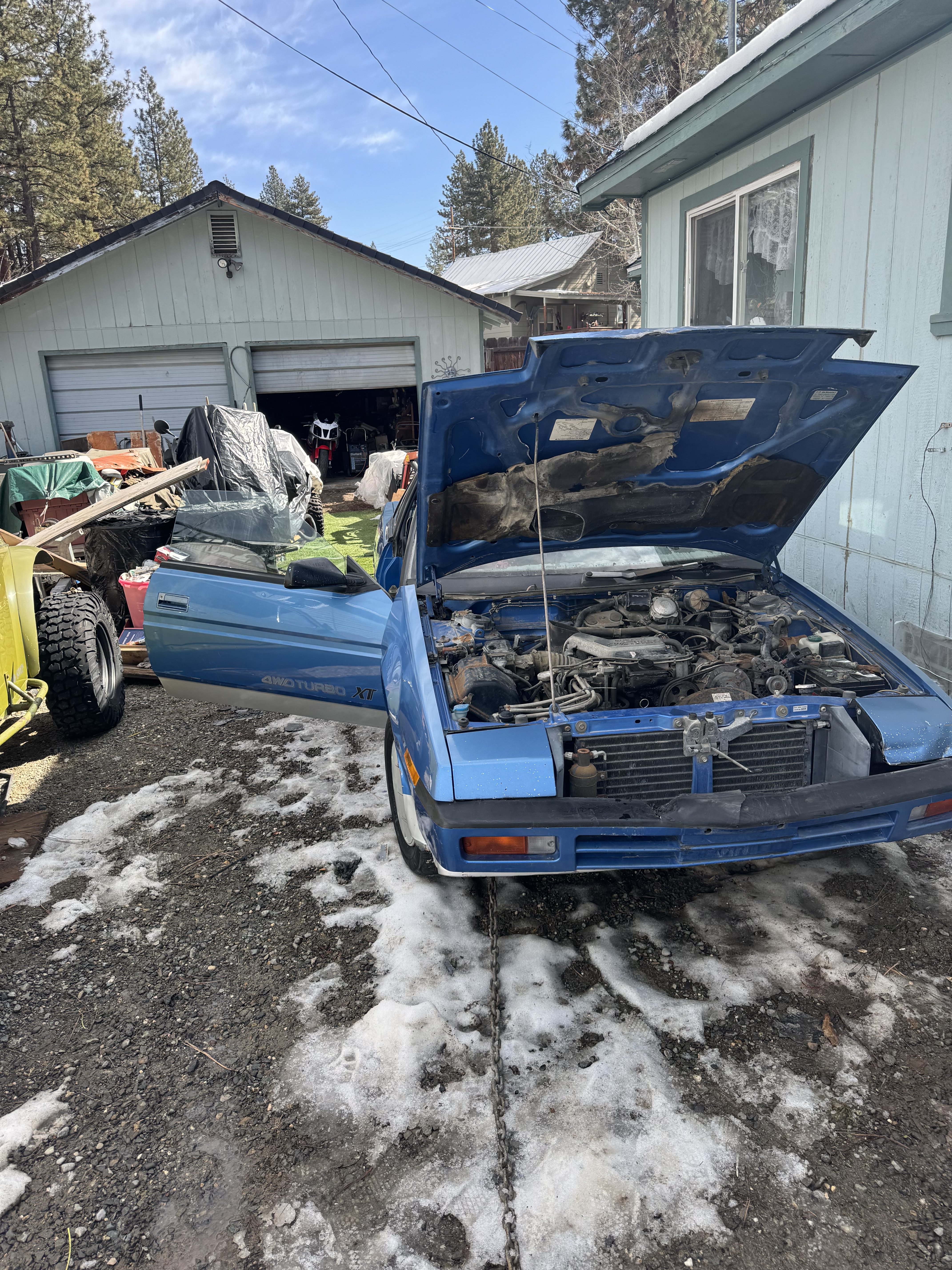
Hey everybody ! I’m having a problem with getting my XT (4wd turbo) to start, really at all, got it a while ago (was running on purchase) but had a stuck transmission and decided to pull both, put a ‘new’ trans in, and to pull and clean up a lot of seals and outside of the engine, fix some leaks, etc, didn’t mess anywhere inside the heads, or touch the distributor but redid the timing/belts IAW the FSM (car luckily came with all 6 sections) long story short, put it all back together and surprise crank no start, I've been digging through the manuals for weeks and i am hopelessly stuck, im new to Subarus, (and pre-OBDII in general) so any help anyone can give me would be greatly appreciated. we have fuel pressure, spark, air, good battery, and a stumble on starting fluid, but no power going to the injectors, all grounds per manual were cleaned and sanded, injectors were resistance checked as good, the diagnostic LED on the ECM is just on and unblinking and won’t throw a code at all and the FSM has sent me in circles and upside down looking for test plugs and modules, from what i can tell there’s no voltage going to the injectors during crank, and it might be a CAS failure in the distributor and it’s just not telling the ECM that the motors even moving hence no spray or the ECM has frozen or internally failed and I’m just not sure how to rule either of those out any insight to help get this ol girl started again? Or atleast a way to isolate the problem?