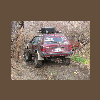
November 11, 200916 yr I just traded my dad my 77 F-250 money pit for his '85 Toyota 4x4 He bought this thing new in 1985, its been wrecked twice, and served as a daily driver/ irrigation work truck for many, many years. We put a 3" lift on it about 4 years ago, and I built the roll bar and installed the stereo/ CB while it was still his. All I need to do to make it run is put the new starter in that he bought 2 years ago Then I will replace the old carb with a Weber. It has really high gears though, and it doesnt like to drive freeway speeds with 31's, right now it is sitting on 32/11.50 Wildcats (which are reserved for my Brat) NO, this is NOT my new wheeler, nor is it replacing any of my Subes, this is going to be my hunting rig. Plans are to trade the roll-bar to my brother for his Zune, and Im going to build a custom camper/canopy for it to house all my hunting/emergency gear in and still be able to sleep in it (one of the positives of being a long bed ) It will need lower gears in the axles at some point, and Ill probably eventually build a 22R/20R Hybrid motor for it, but for now Im just gonna get it running and drive it now and then, it get crappy gas mileage :-\ But its MINE!!! -Bill
November 11, 200916 yr Nice! A real survivor. The last of the "Real" Toyota trucks. I bought a 'Really nice '86 in '89. I had no idea of the problems I was gonna have with the IFS. Man,I'd be for restoring that thing.
November 12, 200916 yr YA YOTA! hit up http://www.yotatech.com man, they are real great like the ultimatesubaru for yotas... -Jaren

Please sign in to comment
You will be able to leave a comment after signing in
Sign In Now