Skip to content
View in the app

A better way to browse. Learn more.

Ultimate Subaru Message Board

A full-screen app on your home screen with push notifications, badges and more.

To install this app on iOS and iPadOS
  1. Tap the Share icon in Safari
  2. Scroll the menu and tap Add to Home Screen.
  3. Tap Add in the top-right corner.
To install this app on Android
  1. Tap the 3-dot menu (⋮) in the top-right corner of the browser.
  2. Tap Add to Home screen or Install app.
  3. Confirm by tapping Install.

Some pix of my Brew

Featured Replies

Subaru.jpg

Working on the carberator

untitledkululuu.jpg


untitledkhkhkhuy.jpg

Took all the carpet out

untitledkhjkhjkhj.jpg


untitledlhkhkh.jpg

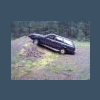
This Brew has been sitting in a field for about 10-15 years and my friend got it running in about a week.Also i'm about to put a 2 1/2" lift on it hopfully it'll work out;im making it homemade.

Wow, looks pretty good for being left out for so long! Nice pix too. What year is it?


Welcome! Good luck with your project, keep us posted on how it goes.

  • Author

Thanks man it should be great. It's a 1985 Gl Wagon

Edited by McJesse

Please sign in to comment

You will be able to leave a comment after signing in

Sign In Now

Account

Navigation

Search

Search

Configure browser push notifications

Chrome (Android)
  1. Tap the lock icon next to the address bar.
  2. Tap Permissions → Notifications.
  3. Adjust your preference.
Chrome (Desktop)
  1. Click the padlock icon in the address bar.
  2. Select Site settings.
  3. Find Notifications and adjust your preference.